
How should urgent search ads lead to suitable bookings?
Google ads tips for dental emergencies are most useful when they help a practice distinguish people seeking prompt dental attention from people researching routine care, then give those urgent searchers a clear, accurate way to request an appointment. This guide is for dental practices that offer approved urgent appointments and want advertising to create more suitable booking enquiries without making clinical promises.
The direct answer is to build a dedicated search path: urgent terms, urgent-focused ad wording, a page that explains the contact process, realistic local coverage and a privacy-checked measurement plan. Do not use this campaign to diagnose a problem online or imply that every caller will receive a particular treatment. Outcomes vary, and the practice must approve service, availability and payment wording before it appears.
1. Decide what your practice can call an emergency
Start with a short internal definition of the appointment types the campaign may promote. Confirm which urgent concerns the practice can discuss, who answers calls, where appointments take place, how availability is confirmed and what should happen when someone needs help outside the stated contact route. This decision prevents an ad from inviting requests the team cannot appropriately handle.
Keep the advertising promise practical rather than clinical. A useful brief may say that the practice offers urgent appointment requests during approved times, asks patients to call or use a specific booking route, and confirms that the team will discuss availability. It should also list services that must not be implied. This gives reception and marketing one shared boundary for emergency dentist ads.
2. Separate urgent searches from routine treatment searches
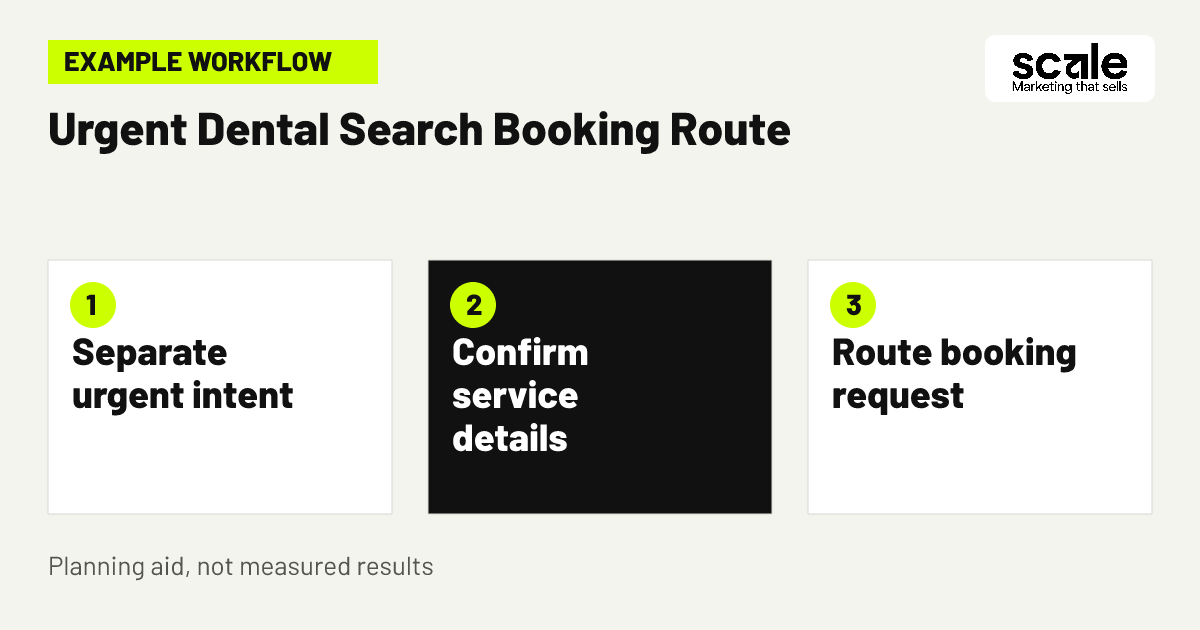
Put urgent-intent terms in a campaign or tightly controlled campaign group that is separate from general dentistry, hygiene, cosmetic work and planned treatment searches. Give its ads and destination page one job: help a person request an appropriate urgent appointment. Separation makes it easier to review search relevance, contact quality and budget decisions without routine searches masking what is happening.
Build a starting list from language patients and reception teams actually use, then review the search terms that trigger ads. Add exclusions for clearly unrelated requests, unavailable services and routine-intent themes when they are not appropriate for the urgent campaign. Negative keywords can exclude search terms and help focus a campaign on the searches that matter, but they need careful review because exclusions can also remove relevant demand.
A simple working brief is: urgent dental concern, approved location, contact action, availability wording and excluded intent. Keep a separate list for routine treatment searches so those terms can be handled by the correct campaign and page rather than discarded without review.
3. Map one urgent search to one clear booking path
Example: A person searches for a dentist because they need prompt attention and are deciding whether a nearby practice can see them. The search ad states the practice area and invites them to call or request an urgent appointment, subject to availability. The landing page repeats the practical contact route, explains where the clinic is, and makes no claim about a diagnosis, treatment outcome or immediate appointment confirmation.
Before launch, test the path on a phone. A team member should be able to see the practice name, service scope, location, call option and what happens after making contact without hunting through general treatment content. If a form is used, request only information needed to respond to the enquiry and keep free-text health details out of marketing tracking.
Evaluate this path by listening for confusion in reception feedback. If callers ask whether the practice is open, treats a service it does not provide, or is located too far away, correct the ad and page message before widening the campaign.
4. Set dental ad location targeting from real travel demand
Dental ad location targeting should reflect where suitable patients can travel from, not simply the largest possible map area. Begin with the practice location, confirmed service area and the travel patterns reception can reasonably support. Google Ads can target selected geographic areas and, where available, a radius around a location, but location signals are not perfectly precise. Review real enquiry fit rather than assuming the setting creates an exact boundary.
Choose a location approach that matches the decision. A defined town or group of areas may be clearer when travel routes or service coverage differ. A radius can be useful when the practice serves a surrounding area, provided the team checks whether the resulting contacts are practical. Very small target areas may limit ad delivery, so do not mistake sparse exposure for proof that demand is absent.
Check the geographic setting alongside landing-page wording. If ads reach people across several areas, the page should clearly identify the clinic location and explain the contact route. If many unsuitable long-distance contacts arrive, narrow or revise coverage after checking the settings and the enquiry record.
5. Match ad timing to the team that can respond
Decide whether urgent ads should run whenever searches occur or only when the practice has an approved method to handle incoming contacts. The right choice depends on the actual response process, not on a desire to appear at every hour. If an after-hours message, call handling process or booking request route exists, make sure the ad and landing page describe it accurately.
Google Ads ad scheduling can limit ads to selected days or hours, and it can support bid adjustments by time. Use this only after checking that timing supports a real operational decision, such as ensuring calls arrive when the appropriate team can answer them. Do not state that appointments are available at all times unless the practice has approved that claim.
Review timing with reception notes. If contacts received at certain periods are not answered promptly or generate avoidable uncertainty, change the schedule or clarify the on-page expectation. If a period produces suitable requests and the team can respond, retain it as part of the monitored plan.
6. Show decision details before the patient calls
Urgent dental appointment ads should answer the basic practical questions that determine whether someone should contact the practice: which area the practice serves, how to request an appointment, whether availability needs confirmation and where to find the clinic. The ad itself is brief, so use the landing page to carry the supporting detail in plain language.
Do not fill limited ad space with broad claims that the page cannot substantiate. A focused message such as urgent appointment requests at a named practice location is more useful than vague superlatives. The destination page should continue the same message, not send a worried visitor to a general homepage where they must search again.
Evaluate whether the information is doing its job by asking reception which questions are repeated before people can book. Repeated questions about location, hours, services or how to request a visit usually mean the answer is missing, buried or inconsistent across the ad and page.
7. Use dental payment messaging to screen expectations
Dental payment messaging should help prospective patients understand what the practice can accurately discuss, without suggesting that payment approval, coverage or treatment eligibility has already been decided. Confirm with the practice which payment options, insurance information or financing language may be published. Put only approved facts in the ad and landing page.
For urgent care, the aim is to reduce avoidable mismatches before the call. A landing page can direct people to ask the team about payment arrangements or accepted options, where that is accurate, while making clear that the practice will confirm details. Avoid a long explanation that distracts from the contact route or creates promises staff cannot keep.
Review the reason contacts do not progress. If payment confusion is common, improve the approved explanation and train the response team to use matching language. If the problem is actually service availability or travel distance, do not treat payment copy as the solution.
A practical approval check
Ask the practice to approve each statement about payment, insurance, availability and appointment process in one document before the campaign changes. Record the page or ad where it appears and appoint someone to update it when arrangements change.
What not to imply
Do not imply that a payment method is accepted in every circumstance, that insurance will cover a particular service, or that a submitted enquiry confirms a booking. Clear limits protect the patient journey and give reception a workable starting point.
8. Send urgent clicks to a purpose-built page
A dedicated urgent-care page is usually a better destination than a generic home page because it lets the visitor verify the next action immediately. Put the contact option high on the page, but also explain the clinic location, the appointment-request process, the kinds of requests the practice can discuss and any approved availability information. Keep diagnosis and treatment decisions for the clinical conversation.
Use a page structure that mirrors the ad: urgent appointment request, how to contact the team, where the practice is, what information the team can clarify and a concise reminder that availability is confirmed directly. Avoid asking people to navigate through unrelated cosmetic or long-term treatment pages when their need is time-sensitive.
Test every button, call link and form confirmation after website changes. A broken route is not merely a technical issue in this context; it can turn a motivated enquiry into uncertainty. Record the test owner and the date so problems are found before a campaign is expanded.
9. Keep calls and forms focused on booking enquiries
Offer the contact method the practice can handle most reliably. For many urgent searches, a visible phone route may be appropriate, while a simple request form can support people who cannot call at that moment. The key is that the confirmation message explains what happens next and does not present an enquiry as a confirmed appointment.
Keep fields minimal and avoid prompting for unnecessary health details. A name, preferred contact method and a practical request for appointment contact may be enough for the marketing stage, subject to the practice's privacy process. Do not send free-text answers, condition descriptions or other sensitive entries into advertising platforms or broad analytics reports.
Evaluate the route by comparing contact completion with reception feedback. A form that generates incomplete requests may need clearer instructions; a page with many call clicks but few conversations may point to a phone-routing issue. Check the experience before changing keywords or location coverage.
10. Review search terms before adding more keywords
Search-term review is how a practice learns whether its urgent campaign is being matched with the right intent. Look for patterns such as routine check-up requests, jobs, training, unrelated services or searches from people seeking a different type of provider. Classify each pattern as relevant, better suited to another campaign, or unsuitable for the practice.
Use exclusions thoughtfully. Google Ads documentation notes that negative keywords have matching rules that differ from positive keywords and may not catch close variants automatically. Add the necessary variants where they are clearly irrelevant, but do not build such a broad exclusion list that it blocks people using normal language for an urgent appointment.
Keep a change log with the search theme, decision, date and reason. At the next review, check whether the change improved relevance or accidentally reduced appropriate enquiries. This makes account management more dependable than repeatedly adding terms without a clear diagnosis.
11. Align reception feedback with campaign decisions
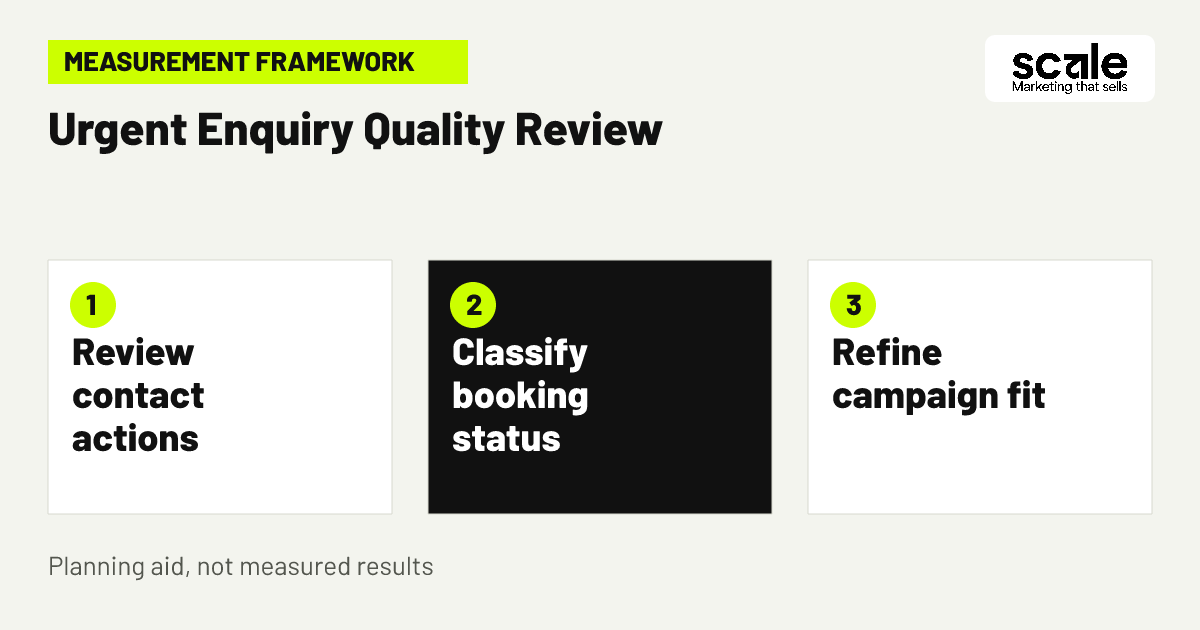
Advertising data can show an enquiry action, but it cannot alone determine whether the person reached the right service or secured an appointment. Create a small internal feedback loop between whoever reviews ads and the people answering contacts. Agree on a few restricted status labels, such as contact received, suitable request, appointment booked, attended, unavailable service or outside area.
Do not place detailed patient notes in campaign reporting. The purpose of the status process is to identify marketing friction, not to create a clinical record. A rise in outside-area requests may justify a location change; repeated requests for a service not offered may require new exclusions and clearer ad copy; suitable requests that do not book may indicate availability or booking-path issues.
Review patterns at a regular interval selected by the practice. Discuss one or two specific changes rather than making many edits at once. This makes it easier to connect a revised message, location setting or contact page with changes in enquiry fit.
Questions for the reception review
Ask whether callers understood that they were requesting an urgent appointment, whether they found the clinic location practical, whether the service request matched what the practice offers, and where confusion occurred before booking.
Use feedback without exposing details
Summarise recurring themes in broad categories rather than transferring names, treatment descriptions or free-text messages into advertising reports. Limit access to the internal booking-status record to people with an approved need to use it.
12. Improve one friction point at a time
When the campaign is live, resist the urge to change targeting, ads, landing pages and contact handling all at once. Choose the clearest friction point from search-term reviews, reception feedback or the booking path. For example, if callers repeatedly ask where the practice is, revise the location statement and page placement before changing multiple keyword groups.
Check the full journey again after every meaningful change: search wording, ad message, landing-page promise, call or form route, confirmation message and internal classification. This disciplined sequence helps distinguish a message problem from a technical fault or an operational limitation.
Scale Digital Agency services can support the campaign work where it is needed: Google Ads management for separation and targeting decisions, SEO services for useful local practice pages, and digital marketing support for privacy-reviewed measurement. The immediate decision should still be based on the specific friction the practice has verified.
Marketing mistakes that create urgent but unsuitable leads
The first mistake is mixing emergency and routine treatment intent into one broad campaign. Diagnose it by reviewing search themes and asking reception whether contacts expected routine appointments, cosmetic treatment or a service the practice does not provide. The correction is not automatically more budget; it is clearer campaign separation, exclusions where appropriate and a destination page that matches urgency.
A second mistake is overstating access. Claims that imply instant care, continuous availability or universal payment acceptance can create disappointment and difficult calls. Check every promise against the real appointment process, including who responds, when they respond and what information can be confirmed only after contact.
A third mistake is optimizing for raw contact volume. A high count of calls or form submissions may conceal distant, unavailable-service or poorly informed enquiries. Diagnose this with restricted booking-status categories and use those findings to improve location wording, service scope and payment explanation rather than collecting more personal information.
What should you measure before expanding the campaign?
Measure the path from urgent search visibility to a privacy-approved contact action, then use a protected internal process to identify requested appointments, booked visits and attendance. Keep advertising reporting separate from sensitive health details. The useful question is whether a channel and message produce suitable booking opportunities, not whether they collect the most information about an individual.
Interpret signals in sequence. If search activity is present but few people reach the contact route, inspect message relevance, page clarity and mobile usability. If contact actions rise but many are unsuitable, inspect search terms, dental ad location targeting, service wording and dental payment messaging. If suitable enquiries do not become bookings, review availability communication and reception follow-up separately from the ad account.
Before relying on any measurement, test that it records the intended non-sensitive action and does not expose form content, revealing page details or appointment notes to an ad platform. Then use the same definitions over time so a change in reported bookings reflects a real decision, not a renamed status.
Conclusion: build the urgent campaign around a verified booking route
The strongest google ads tips for dental emergencies do not chase broad traffic. They separate urgent intent, state practical facts patients need before calling, focus coverage on realistic travel areas and connect advertising activity with privacy-conscious booking feedback. That combination helps a practice decide which enquiries are worth pursuing and where the journey needs improvement.
Your next action is to hold a short review with the practice owner and reception lead. Approve the urgent-service definition, contact route, location coverage, payment wording and booking-status labels in one working brief. Use that brief to check the current campaign and correct the single biggest mismatch before expanding it.
Related resources
Dentist Marketing · Google Ads Management · SEO Services · Digital Marketing · 11 Dental SEO Ideas to Attract Implant Consultations