
Turn wedding interest into tour-ready enquiries
Venue website conversion tips are for wedding and event venue owners who want their website to produce suitable tour conversations, not simply a larger inbox. The direct answer is to make fit information easy to find, ask for only the planning details your team needs, set honest expectations about availability and give each request a clear reviewed next step.
This approach is suitable when your team can keep capacity, packages, restrictions and tour arrangements current. It is not suitable to publish sweeping promises when availability changes quickly, or to use a website form as a substitute for staff judgement. Before changing a page, agree who verifies venue facts, who receives requests and what makes an enquiry suitable enough to discuss a tour.
1. Decide which visitors should request a wedding tour
Start with a clear definition of a suitable enquiry. For many venues, this means a couple or planner with a possible event date, a realistic guest count, a wedding format the venue hosts and enough contact information for a helpful response. This definition should reflect the venue's actual spaces and restrictions, rather than a wish to make every visitor complete a form.
Separate genuine planning routes when the visitor needs different answers. A page for a wedding ceremony and reception may need different images, capacity guidance and package context from a private celebration page. If the information and enquiry handling are identical, one focused wedding page is usually clearer than several near-duplicate pages.
Write a short page brief before redesigning. State the audience, the event format, verified capacity guidance, important package boundaries, common reasons a request may not fit and the next action. SEO Services can help organise this information into pages that answer a planner's real questions, while venue staff remain responsible for factual approval.
Choose the right conversion goal
A submitted form is an early action, not automatically a successful outcome. Choose a primary website goal that reflects the team’s ability to review requests, such as a request containing the core planning details needed to offer or discuss a tour.
Keep the definition practical
Use a definition staff can apply consistently: a tour-ready request includes a preferred date, approximate guest count, supported event type and a workable way to reply. Record exceptions separately instead of changing the definition for every unusual request.
2. Put fit information before the tour form
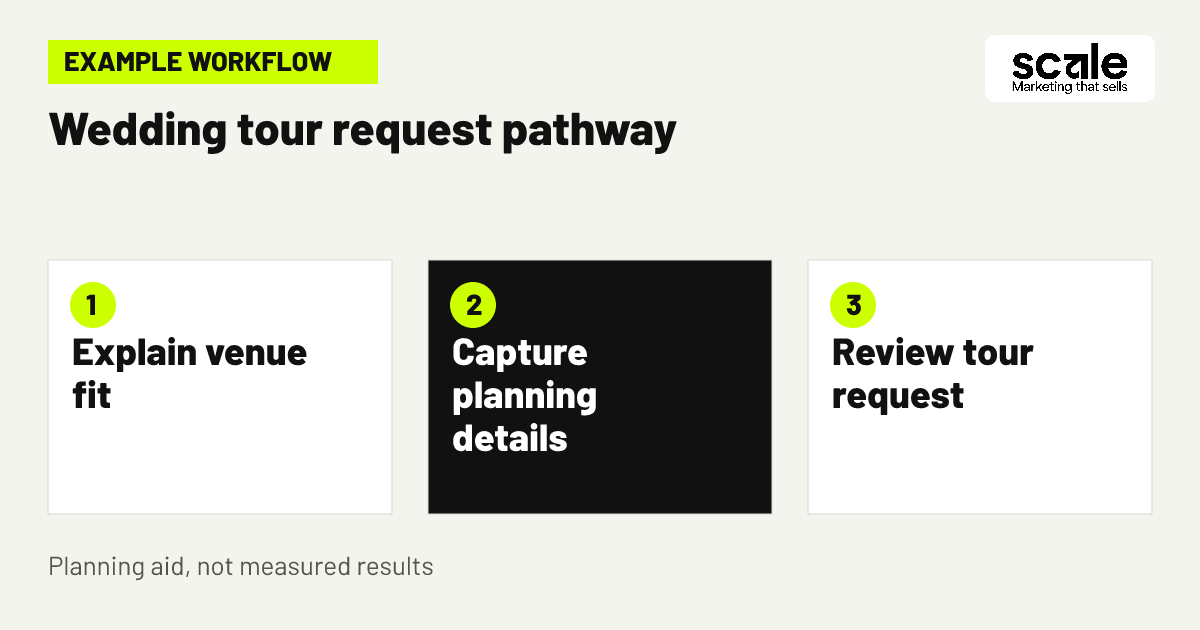
Visitors should be able to decide whether the venue may suit them before they reach the form. Lead with the setting, genuine location and wedding formats you can discuss. Follow with verified guest-count guidance, meaningful package choices, restrictions that change suitability and authentic photos of relevant spaces. A gallery alone cannot answer whether the venue fits the celebration being planned.
Keep the conversion path simple on a phone. The visitor should see a clear invitation to request a tour near the opening explanation, then again after the practical details. Avoid burying the action behind a general contact page, a downloadable document or a menu that makes planners restart their search.
Check message consistency across the page. If the opening presents a small, intimate celebration but later imagery and wording imply a much larger format, visitors cannot confidently assess fit. Correct unclear claims before experimenting with button labels or layout details.
3. Build a form that gives staff useful context
A wedding tour enquiry form should normally ask for name, contact details, preferred event date, approximate guest count, event type and a preferred way to be contacted. A short optional notes field lets visitors share context that does not warrant another compulsory field. Explain in plain language that these details help the venue team review the request and suggest an appropriate next step.
The event guest count field is especially useful when capacity or room layout affects whether a tour makes sense. Give a simple prompt such as approximate number of guests, rather than asking the visitor to know a final figure. If ceremony and reception arrangements affect suitability, provide a clear choice or prompt for that information too.
Example: A couple looking for a ceremony and reception venue sees capacity guidance and package categories before the form. They enter a preferred date, a guest-count estimate and their event format. The acknowledgement confirms that the team will review the details and respond about possible next steps; it does not say the date has been held. Staff can then decide whether to offer a tour, ask one focused question or explain an obvious mismatch. Evaluate the form by checking whether the first staff reply can be relevant without repeatedly requesting essential details.
4. Keep the wedding tour enquiry form short and clear
The right wedding tour enquiry form is not the one with the fewest fields; it is the shortest form that lets staff respond meaningfully. Requiring only a name and email can increase raw submissions while creating slow, generic conversations. Asking for every preference, supplier choice and detailed schedule can discourage a planner who is still comparing venues.
Review every field with one question: will this answer change routing, suitability or the first useful response? Keep fields that establish date, guest count, event type and contact route. Make further planning context optional unless it is essential to the venue’s offer. Label fields in ordinary language and put the reason for any sensitive or less obvious request close to the question.
Test the form from a visitor’s perspective after changes. Check keyboard use, error messages, confirmation wording and whether the form works on smaller screens. Submit a test request to make sure all answers reach the team that needs them.
5. Explain date uncertainty without sounding evasive
Venue availability messaging should be direct but careful. Tell visitors that they can request a tour or discuss their preferred date, and that the team will confirm what may be possible after reviewing the event details. This protects against the common misunderstanding that a form submission reserves a date, room or package.
Avoid broad statements that may become inaccurate, such as claims that particular dates are open when no current process keeps them updated. If the venue can honestly describe a planning window, seasonal option or flexibility preference, explain it as context rather than a booking confirmation. A date-flexibility prompt can be useful when the team can discuss alternatives.
Match the website language to staff replies. If the page says the team will review the request, the acknowledgement and first response should not imply instant acceptance. Consistency prevents a promising enquiry from becoming a disappointing handoff.
6. Show real spaces that answer planning questions
Use genuine photos to help visitors picture the parts of the venue that matter to a wedding decision: ceremony areas, reception spaces, arrival points and relevant outdoor settings. Captions should identify what is shown and, where necessary, make clear that layouts and inclusions depend on the agreed plan. Do not rely on images that imply an arrangement the venue cannot usually provide.
Pair imagery with practical context. A planner needs to understand how the space relates to guest numbers, event format and package conversation. For example, explain which area is normally discussed for ceremonies or receptions if that remains accurate, then invite visitors to share their requirements rather than treating the image as a fixed promise.
Create an internal review point for imagery and captions. When a space, layout, access route or inclusion changes, update the relevant page before promoting it through SEO or Google Ads.
7. Give each page one obvious next action
A visitor who has found a suitable page should not have to guess whether to call, browse more galleries or submit a general enquiry. Use a clear action such as Request a wedding tour or Discuss your wedding plans, supported by a short explanation of what happens next. Repeat it at natural decision points rather than filling every screen with competing buttons.
Use separate paths only when they solve a real difference in visitor need. A person ready to view the venue may benefit from a tour request route, while someone still comparing packages may need a page that explains the offer before asking them to enquire. Both paths can collect the same essential fit details once the visitor is ready.
Review the journey from any page used in search campaigns. Google Ads Management can align an advert with a focused destination, but the page must still provide enough truthful information for the click to become a worthwhile request.
8. Route enquiries to a reviewed response process
Venue enquiry follow-up should begin with a clear handoff. Decide who receives a request, what information they check, who can answer package questions and when a tour can be discussed. An acknowledgement can confirm receipt and explain that the team will review the enquiry, but it should not promise acceptance or availability.
A reviewed process can help share relevant package information and organise requests, especially when there are several event types or busy periods. Keep people responsible for important decisions, exceptions and statements about availability. AI Implementations may support a structured handoff, but only where the team has approved the information, routing rules and review steps.
Use only information needed to handle the request. Explain how contact details will be used, obtain appropriate permission before promotional messages and give people a clear way to stop marketing communications. The purpose is a helpful response to a marketing enquiry, not unnecessary data collection.
9. Remove friction before changing the page design
When enquiries are weak, diagnose the journey before commissioning a visual overhaul. Start by testing whether the page loads, the tour action is visible, the form submits, the confirmation arrives and staff receive the complete information. A broken route or missing field creates a more urgent problem than an imperfect headline.
Then compare the page promise with the requests received. Repeated questions about location, capacity or package basics suggest that the information is too hard to find or too vague. Many form starts with few completions can indicate a confusing field, technical error or an action that arrives before visitors understand the offer.
Keep a short change log. Note what was changed, why it was changed and which downstream signal should improve. This prevents teams from attributing a shift in enquiry quality to the wrong edit when multiple page elements change at once.
10. Use staff feedback to improve the right page element
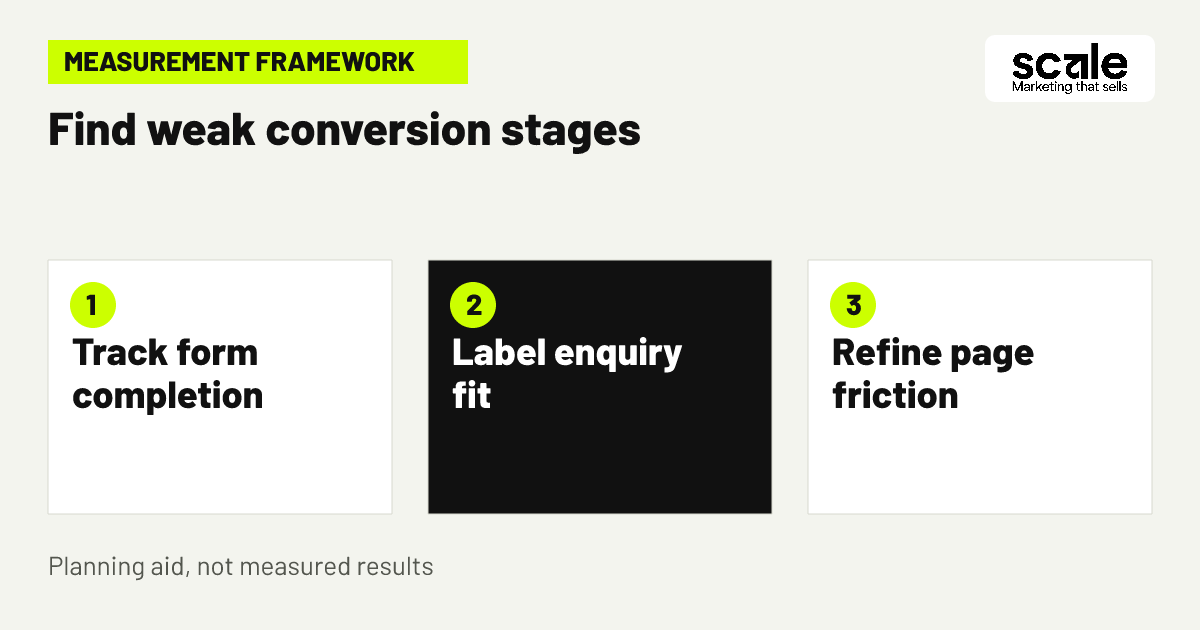
Ask the team handling tours to use a small set of consistent labels: missing core details, unavailable date, guest count mismatch, unsupported event format, suitable to discuss or tour arranged. These labels reveal whether a website issue is targeting, unclear copy, form design or normal limits on availability.
If requests regularly lack dates, make the date question clearer and explain why it matters. If many visitors expect an event format the venue does not host, clarify the page opening and relevant calls to action. If complete requests rarely progress because of availability, check whether the date-flexibility message is understandable before changing the whole audience.
Avoid judging a page only by volume. A smaller number of complete, relevant requests can be more useful than a busy inbox that forces staff to collect basic details from every planner.
Marketing mistakes that weaken wedding tour enquiries
One frequent mistake is treating the main venue page as a brochure instead of a decision tool. Beautiful photography may bring attention, but visitors still need usable context about location, capacity, event format, package boundaries and the tour process. Diagnose this by reviewing the questions staff receive before a tour can be considered.
Another mistake is asking a form to do the page’s work. A long questionnaire cannot compensate for missing information about the venue, and it can make early-stage planners abandon the request. Move basic answers onto the page and retain only fields that support suitable routing and response.
It is also risky to imply that a date is reserved, available or accepted before staff review it. Audit button text, confirmation pages and automated responses together. Replace any promise that does not reflect the venue’s actual booking process.
Measure tour quality, not just completed forms
Track the journey in layers: tour-form views or starts, completed requests, requests containing the core planning details, staff-reviewed suitable enquiries, tours discussed or arranged, and later outcomes that the team can record consistently. Each layer answers a different question. A form completion alone cannot reveal whether the website attracted an event the venue can host.
Analytics events can measure website interactions, including page activity and button clicks, and custom events can represent interactions that are meaningful to your enquiry journey. Define each event before implementation and avoid putting personal information into analytics labels or parameters. Test events after publishing so reports reflect the intended visitor action.
Use the signal to choose the next action. A high number of starts but few completed forms calls for a friction and technical check. Complete forms with missing essentials call for field and explanation changes. Many complete but unsuitable requests call for clearer fit information, event boundaries or campaign-to-page alignment. Prioritise inaccurate information, broken routing and faulty tracking before expanding promotion.
Review the data with the enquiry team
Website reporting becomes more useful when it is compared with staff-reviewed labels. Schedule a regular review of page source, form completeness, common mismatch reason and tour progression, then choose one specific improvement to test.
Protect useful measurement
Keep reporting focused on the minimum information needed to understand the journey. Restrict access to enquiry details to appropriate staff and use aggregated website signals when reviewing page performance.
Conclusion: make a tour request a confident next step
The best venue website conversion tips make the decision easier for both the planner and the venue team: show the real offer, explain fit before contact details are requested, collect the few facts needed for a useful response and follow up through a reviewed process. Outcomes vary, but a clearer journey gives your team better information for improving it.
Choose one wedding page and audit it today. Verify its capacity and package wording, read the tour form as a visitor, submit a test enquiry and compare the request with what staff need to decide on the next step. Fix the clearest gap before making broader design or campaign changes.
Related resources
Wedding & Event Venues Marketing · Google Ads Management · SEO Services · AI Implementations · 12 Wedding Venue Google Ads Tips for Better Tour Enquiries · 11 Event Venue SEO Ideas for Corporate Booking Enquiries