
Corporate planners need answers before they enquire
Event venue SEO ideas are most useful for venue owners and marketing teams who want organic website visits to become suitable corporate booking enquiries, rather than vague requests that cannot progress. The direct answer is to build pages around real planning decisions: event format, guest count, location, room layout, package boundaries and the next step to discuss a date. This approach suits venues that can keep those details current and review enquiries; it is less suitable when the venue cannot yet describe what it hosts or who responds to requests.
Search visibility is not a substitute for a clear offer. A corporate organiser may be comparing meeting rooms, team-event settings, presentation space or an evening reception venue, and each need can require different information. Start with verified venue details, genuine imagery and an agreed process for checking fit. Helpful, people-first pages should answer the visitor’s purpose rather than exist merely to attract search traffic, which aligns with Google’s guidance on useful content.
1. Decide which corporate event needs deserve a dedicated page
Do not begin by making a page for every phrase someone might search. Instead, list the corporate formats the venue actively wants and can accurately explain, such as daytime meetings, conferences, team gatherings, awards evenings or client receptions. Give a format its own page only when its likely planner has distinct questions about spaces, capacity, layout, inclusions or enquiry handling.
A useful decision rule is simple: if changing the event type changes the visitor’s decision or the team’s response, build a focused route. corporate event venue pages can therefore be appropriate for a board-style meeting space and a larger presentation setup, while two nearly identical pages for the same room are not. This keeps the site useful and avoids copied pages that offer no additional help.
Before approving a page, write a short brief in plain language: who is planning the event, what space decision they need to make, the verified facts that help them decide, restrictions that affect fit and the enquiry details staff need. This brief also gives your SEO and website team a reliable source to review when venue arrangements change.
2. Build each page around the planner’s first decision
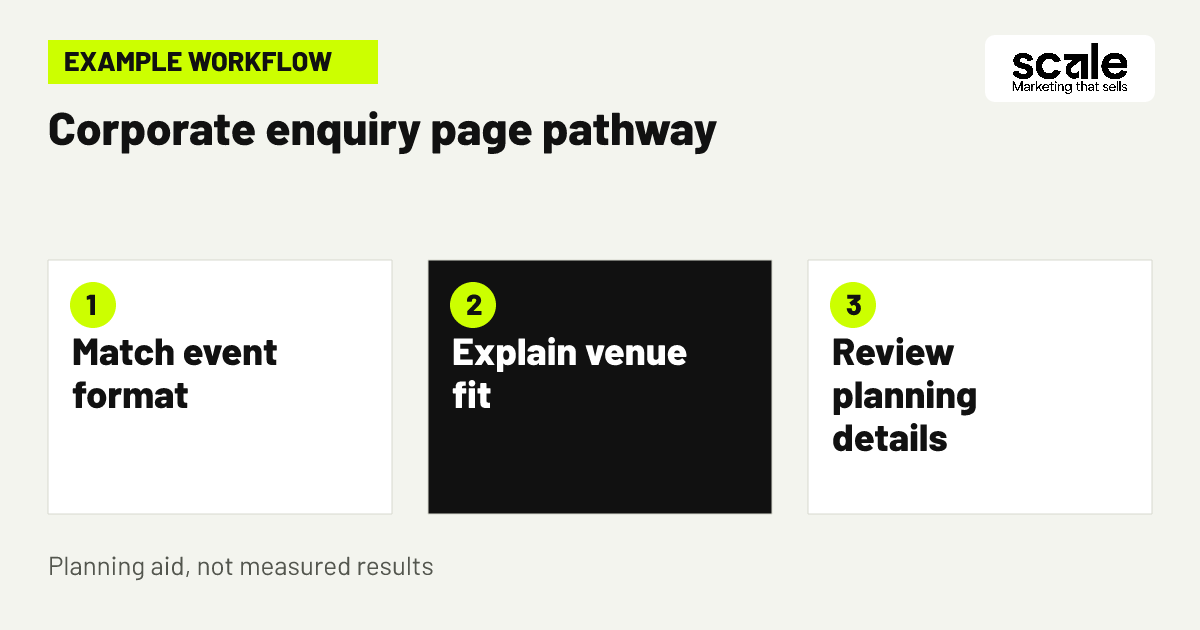
Open with the venue location, the event setting and the kind of corporate occasion the page supports. Follow with the information a planner needs before contacting anyone: workable guest-count guidance, available room configurations where verified, access context, key facilities or inclusions, and any restrictions that materially change suitability. Keep the primary enquiry action visible without asking visitors to hunt through a gallery.
Use headings that reflect questions rather than internal sales labels. A page can explain whether the room supports presentations, seated dining, networking or breakout use only where the venue can confirm those arrangements. Describe possibilities as discussion points when final set-up depends on an event plan. This prevents a static page from accidentally making a commitment the venue cannot keep.
Check the page on a phone before publishing. A planner should be able to understand the offer, see the venue’s actual location and reach an enquiry form without reading every image caption. SEO Services can help organise these pages around genuine visitor needs, but venue staff should retain responsibility for verifying capacities, inclusions and restrictions.
3. Map one organiser’s search to a useful enquiry route
Example: A local organiser is looking for a venue for an internal planning day followed by an evening reception. They arrive through a page about corporate gatherings rather than a general wedding gallery. The first screen identifies the venue and explains that the team can discuss daytime and evening event formats. The page then gives verified room-use guidance, capacity ranges where appropriate, package categories and a clear request form.
The form asks for the preferred date, approximate guest count, event type and preferred response method. It says that the team will review the request and discuss suitable options, rather than suggesting the date or room is reserved. The organiser can provide useful context, while the venue receives enough information to decide whether a conversation is worthwhile.
Evaluate this route by reviewing whether staff can identify the originating page, whether submissions include the core planning details and whether the page attracts requests within the formats the venue serves. If visitors repeatedly ask for an unsupported style of event, make the boundary clearer on the page before creating more content.
4. Publish capacity guidance without turning it into a promise
Capacity is often a strong filter, but it must be presented carefully. Explain the guest-count ranges or room limits the venue has verified, alongside the conditions that can alter a layout: seating style, staging, catering, breakouts or use of other areas. Say that the team will confirm suitability after reviewing the event requirements. This gives organisers a practical starting point without implying that every arrangement is available.
Avoid using capacity as an isolated number that a planner must interpret alone. Pair it with the likely event use, such as a meeting, reception or dining arrangement, if that description is accurate. Where configurations vary, tell visitors which details they should provide so staff can advise meaningfully.
Review capacity copy whenever a room changes use, a restriction changes or a package is updated. Outdated claims create weak enquiries because visitors made a decision based on information the team must later correct.
5. Explain packages as choices, not fixed booking claims
venue package information should help an organiser understand the shape of an offer before they request a conversation. Describe relevant package categories, what is normally considered in each discussion, meaningful optional elements and factors that affect the final plan. Do not hide limits that would make the package unsuitable, and do not present a broad description as confirmation of a particular date, room or inclusion.
A readable page can use short paragraphs to explain the decision sequence: tell us the occasion, date, guest count and preferred format; the venue team reviews the requirements; then suitable options can be discussed. This is clearer than a form that simply says enquire now. It also makes room for tailored corporate requirements without creating an unwieldy list of every possibility.
Keep a single owner for package copy. When staff change an inclusion, timing condition or room allocation rule, that person should review the relevant pages and downloadable material. The goal is consistency between what search visitors read and what the enquiry team can actually discuss.
6. Make local relevance useful rather than repetitive
local event venue searches are often made by organisers who need to understand where attendees will travel, not merely by people entering a town name. Make the venue’s real location prominent, and add truthful access, nearby landmark or travel context when it helps a planner decide. Use genuine service areas only where they reflect where the venue is located or where visitors realistically travel from.
Do not create thin pages that swap one nearby place name for another while repeating the same room description. Those pages give organisers little reason to choose the venue and make site maintenance harder. A stronger local page answers a location-specific question, such as how a real venue setting fits corporate gatherings in that area.
Check local wording against the visitor’s likely journey. If the page cannot offer concrete location context beyond a name, concentrate on the main venue page instead. Accurate, useful local information is more valuable than a large set of near-duplicate destination pages.
7. Use real images to answer space and atmosphere questions
Corporate planners need to picture whether a setting suits their event. Use genuine images of the relevant rooms, entrances and configurations, with concise captions that identify what is shown. A gallery should support the page’s practical explanation, not replace it. Avoid photographs that imply a room, view, layout or included feature that will not be part of the discussed arrangement.
Group images by event purpose where possible. A visitor assessing a presentation setup should not have to infer everything from celebration photography. If images show a past configuration, state that layouts depend on the agreed event plan rather than treating the photograph as a standing promise.
Ask staff to verify photographs and captions with the same care as capacity copy. Remove or relabel images when a space has changed. This maintains trust and reduces the chance that a promising enquiry begins with a correction.
8. Add enquiry questions that reveal fit without creating friction
Ask only for information needed to handle a corporate booking enquiry: contact details, preferred date, guest count, event type and a brief description of the required format. Add a preferred response method if the team can use it. These questions help staff route the request and let the visitor understand why details are being requested.
A form with only name and email may create more submissions but leaves the team unable to assess basic fit. Conversely, a long form can deter an organiser who is still comparing venues. Test the balance by reading a sample of requests: can staff give a relevant first response without seeking all the essentials again? If not, clarify or add the missing field.
Explain that an enquiry starts a conversation and does not reserve a date. Use only information needed to handle the request, describe how contact details will be used and obtain appropriate permission before promotional follow-up. A reviewed follow-up process can share relevant package information, while people remain responsible for decisions and exceptions.
9. Create a content check before publishing a new page
A page should not go live because it contains a target phrase. Use a pre-publication check that asks whether the event type is real, the audience has a clear question, the location and space descriptions are verified, package language is current, images are genuine and the enquiry route is functional. Check that the page adds something different from existing content.
The page should also have one accountable venue reviewer. Marketing can shape the explanation and search structure, but the person closest to operations should approve factual claims. This is particularly important for private event space SEO, where a room may be promoted for a private format but still need clear boundaries around capacity, timing or use.
Helpful content has a defined audience and purpose, and it should leave the reader with enough information to progress toward their goal. Use that standard in editorial review: if a corporate organiser would still need to search elsewhere for basic fit information, the page needs more practical substance.
A page brief that prevents vague copy
Include the page purpose, supported event format, real location, audience question, verified room details, package boundaries, form fields and review owner. This turns content approval into a practical check rather than a subjective debate.
The final handoff check
Submit a test enquiry from the page, confirm it reaches the correct team and verify that staff can see the date, guest count and event type. Fix routing or missing data before promoting the page.
10. Link related pages to support a real planning journey
A corporate event page should link to the next genuinely useful detail, such as a relevant space page, package overview, location information or enquiry route. Make link text describe the destination so a visitor knows what they will find. This helps organisers continue their evaluation without returning to a broad navigation menu.
Do not use internal links merely to repeat keywords. Ask what the visitor needs after each section. Someone who has understood capacity may need package context; someone who has seen the setting may need the practical enquiry process. That sequence is more useful than sending every visitor to the homepage.
Review navigation with a staff member who handles enquiries. If prospects regularly ask questions already answered elsewhere on the site, make that page easier to reach. If they ask questions no page answers, add the missing explanation rather than a generic promotional paragraph.
11. Refresh pages when venue facts or enquiry patterns change
SEO maintenance is chiefly about accuracy and usefulness. Set a review trigger for changed capacities, room use, package boundaries, photography, seasonal arrangements or enquiry handling. Also review a page when staff start seeing the same confusion in corporate requests. A current page can filter for suitability; a stale page often creates avoidable back-and-forth.
Keep a simple change note with the page, what changed, why it changed and who verified it. This helps marketing and venue teams interpret later shifts in enquiry quality. It also prevents an old draft or asset from restoring information that is no longer correct.
Do not refresh content by adding empty updates or making cosmetic wording changes. Improve a page only when you can make it clearer, more accurate or more complete for the planner it is intended to help.
Marketing mistakes that fill the inbox with poor-fit requests
The most common mistake is one generic events page that tries to serve weddings, celebrations, meetings and corporate receptions equally. Diagnose it by comparing the page’s promises with staff questions: if teams repeatedly need to establish basic event type, capacity or room purpose, visitors did not receive enough decision-making information. Build focused routes where the answers genuinely differ.
Another mistake is treating every form completion as equally valuable. A request with no date, guest count or stated event type is not comparable with one that staff can evaluate. Also avoid claims that imply a date is available or held. When visitors believe a submission is a reservation, disappointment and poor handoffs follow.
Finally, do not add city pages, stock imagery or package language faster than the venue can verify them. Check a sample of published pages against current venue facts and staff explanations. Correct the largest mismatch first, then repeat the audit after material changes.
Measure page usefulness, enquiry fit and handoff quality
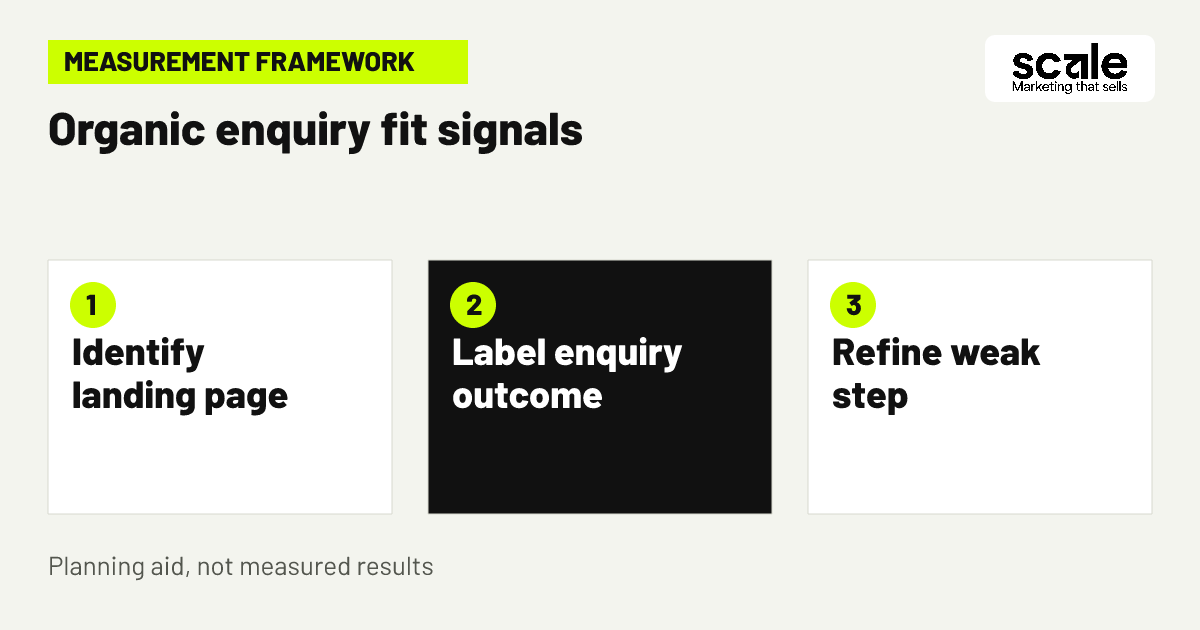
Measure three layers together. First, record which organic landing pages are viewed and whether visitors use meaningful on-page actions, such as opening an enquiry route. Second, record completed requests and whether they contain the minimum planning details. Third, use a consistent staff-reviewed outcome such as suitable to discuss, unsuitable event format, unavailable date, capacity mismatch or incomplete details. This shows the difference between attention and fit.
Google Analytics events can measure user interactions, and custom events can be defined when an automatic event does not represent the interaction you need. Before implementation, decide exactly what each event means, who needs the report and whether the event can be tested. Do not collect unnecessary personal details in analytics labels or parameters.
If a page receives visits but produces few enquiry starts, inspect the first screen, page clarity and next-step placement. If it produces many forms but many are incomplete, improve the form explanation or fields. If enquiries are complete but frequently unsuitable, compare the page’s audience and claims with disqualification labels. Prioritise inaccurate information, broken routing and tracking faults before expanding content work.
Use definitions staff can apply consistently
Define a qualified corporate enquiry in a sentence, for example: a request with a stated date, realistic guest count, supported event type and sufficient contact details for a response. Agree when staff should use each unsuitable label so reporting is not based on personal interpretation.
Test the measurement path after changes
Submit a test request after form or tracking updates. Confirm the event appears in the appropriate reporting view, the enquiry reaches the right team and the outcome can be associated with its landing page where your systems support that process.
Choose the next action from the signal
Low-quality search visits call for page-intent review; incomplete requests call for form improvement; repeated capacity mismatches call for clearer capacity guidance. Make one focused change, then review later staff labels before making another major change.
Conclusion: make organic visibility earn better conversations
The right event venue SEO ideas turn search visibility into a clearer corporate planning journey: one page for a real need, verified information that establishes fit, an honest enquiry route and measurement that follows staff-reviewed outcomes. The best choice is not always more pages; it is the next page that answers a recurring decision before the organiser contacts the team.
Choose one high-priority corporate event format this week. Compare its current page with the questions staff receive, verify capacity and package wording, then add or improve the smallest missing piece of information. Test the enquiry handoff and use the first set of reviewed requests to decide what to refine next.
Related resources
Wedding & Event Venues Marketing · Google Ads Management · SEO Services · AI Implementations · 12 Wedding Venue Google Ads Tips for Better Tour Enquiries