
Make organic search useful before pursuing more visibility
Mold remediation SEO ideas work best when they help a local restoration business attract suitable assessment enquiries, rather than simply bringing more visits to a website. This guide is for owners and marketing teams that need organic pages to explain mold-related assessment requests clearly, show where they work and give property owners an honest next step. Start only when someone can review incoming requests, confirm property location and decide whether the requested service fits current capacity.
SEO is not a substitute for a clear offer. A visitor may be unsure whether they need an assessment, whether their property is inside your coverage area or whether the page relates to mold remediation rather than a different restoration need. Useful pages answer those questions in plain language, then ask only for the contact details needed to review the enquiry. SEO Services can support this work by connecting people-first service information with a logical page structure and maintained local details.
This approach is not suitable for businesses that cannot yet state their real service area, describe what their assessment request covers or monitor the chosen phone and form routes. Resolve those basics first. Publishing broad claims or copied local pages before the operational process is clear can attract enquiries that staff must immediately turn away.
1. Choose the assessment enquiry each page should earn
Give every important organic page one primary purpose. A mold remediation page can invite a request for assessment review, while a drying page should explain drying rather than attempting to convert every visitor through one generic message. Decide which service need, property type or location question the page addresses before drafting headings or adding search terms.
Create a one-paragraph page brief: name the visitor concern, the service your team may consider, the genuine areas covered, the primary enquiry action and the details staff need to review fit. This prevents a broad page from attracting requests for unrelated work. It also makes later reporting more useful because the source page tells staff what expectation the visitor was given.
Check suitability by reading the page title and first screen as a worried property owner would. If it is unclear whether the page is about an assessment request, a confirmed appointment or a different service, narrow the message. Use review-based language where location, damage type and availability must be checked first.
Define the page promise before writing
A useful promise is specific but conditional: explain that the business reviews requests concerning suspected mold issues in stated areas. Avoid promising an arrival time, insurance decision or remediation outcome before the details have been reviewed.
Sample page brief
Sample brief: create a page for property owners who want to ask about a suspected mold concern. State the areas served, explain what an assessment request is for, ask for property location and a short issue summary, and confirm that the team reviews service fit before proposing a next step.
2. Build a mold assessment page around real questions
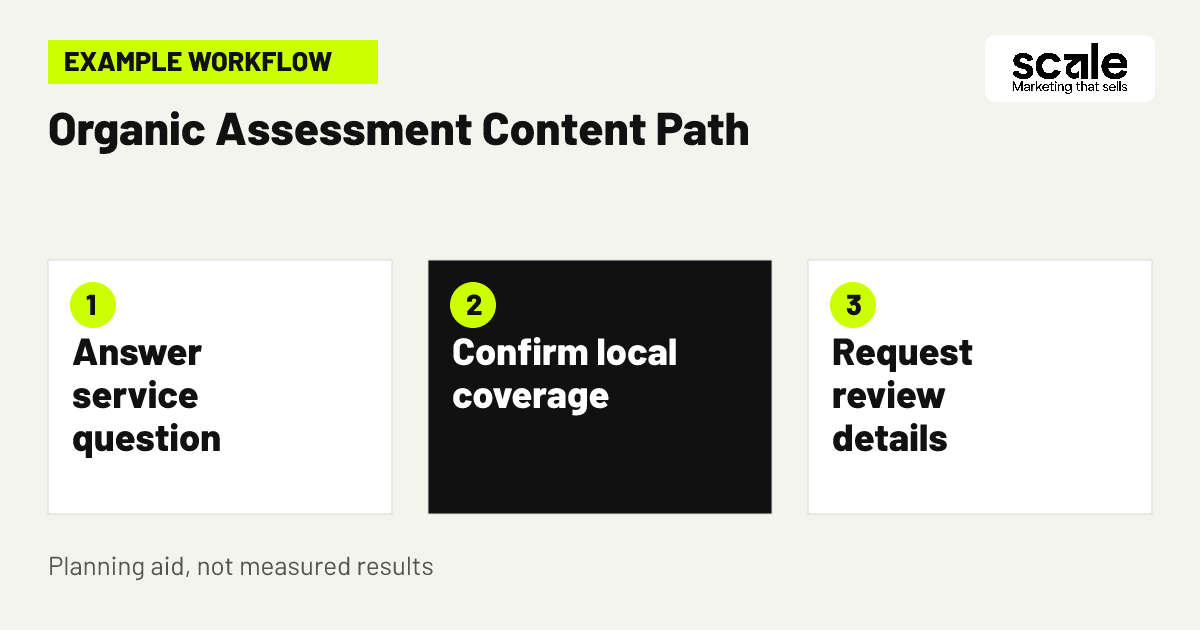
A mold assessment service page should answer the questions a visitor needs resolved before they share their details: what concern the page addresses, what an assessment request allows the team to review, where the business works and how to make contact. Put the main request action near the top, but support it with enough context that it does not feel like a blind form submission.
Use an uncomplicated sequence. Open with the service and coverage statement. Explain what the visitor can submit, such as the property location, a brief description of the concern and a preferred contact method. Then explain what happens after the form or call: receipt, review and an appropriate response if the request fits. This is clearer than using urgent wording that suggests a job has already been accepted.
Test the page on a phone before publishing. Check that service-area information appears before the submit action, the phone route works, required fields are understandable and the confirmation screen appears after a successful form. A page that cannot complete this basic handoff should be repaired before it is expanded with more supporting content.
3. Turn one service-area question into useful content
Example: a restoration business covers several named communities but not every nearby property. Instead of publishing a separate thin page for each town, it creates one maintained mold assessment page that names its genuine coverage and explains how location is reviewed. It then publishes a supporting article answering a recurring local question about what details help a property owner request an assessment.
The supporting article describes the contact process, links naturally to the relevant assessment page and uses examples of information that helps the team review coverage. It does not claim an office in every place or repeat the same paragraph with place names changed. A visitor can understand both the service and the next action without being pushed through a generic location template.
Evaluate the content after staff have reviewed enquiries from that route. If people repeatedly ask whether a particular area is covered, the main page may need clearer boundaries. If visitors arrive seeking a service the business does not offer, revise the supporting article's framing and internal link rather than adding vague language to every page.
4. Publish service explanations that reduce uncertainty
Write restoration SEO content around decisions property owners actually face, not around a list of phrases to repeat. Useful subjects include what information to provide in an assessment request, how mold-related concerns differ from a general water-damage enquiry, and why the property location affects the next step. Each article should lead to one relevant service page when a reader is ready to contact you.
Use knowledge your team can verify. Ask the people who handle enquiries which questions repeatedly delay an appropriate conversation, which service labels confuse visitors and what details are often missing. Turn those patterns into short, clear explanations. Do not fill pages with technical claims or process promises that staff cannot support consistently.
Before publishing, apply a practical quality check: does the page have a defined audience, answer its stated question fully, add information beyond the service page and use a descriptive heading? If the only difference from another article is swapped terminology or a city name, combine or rewrite it. Content should help a reader complete a real decision, not just create another indexable page.
5. Replace copied city pages with local proof points
Local remediation searches often include a town, suburb or nearby area, but that does not justify a library of near-identical location pages. Start with your central service page and an accurate coverage section. Add a separate local page only when you can give the visitor distinct, useful information about how service coverage, contact routing or the assessment request applies there.
Local relevance can come from genuine details: the areas your team considers, clear directions for confirming an address, locally relevant service questions heard by staff, or a community-specific page that answers a different concern. It should not come from invented offices, unsupported response claims or a sentence that merely inserts a place name.
Audit existing pages side by side. If their main headings, body copy, contact action and local claims are effectively interchangeable, they compete for the same purpose and are harder to maintain. Consolidate them into a stronger page with accurate service-area wording. Keep only pages that give a materially different answer or route for the visitor.
6. Make business details consistent and easy to check
Verified business details help a visitor decide whether to contact a real local provider. Check the business name, primary phone route, service-area wording, contact form destination and opening information wherever those details appear on your own website. The aim is not to place contact details everywhere mechanically; it is to avoid sending a visitor from an organic page to an unclear or conflicting route.
Create one internal reference record for approved wording: business name, phone number, email or form route, service areas, services offered and the review condition for enquiries. When information changes, update key service pages and other owned listings from that reference. This reduces errors caused by editing each page separately over time.
Diagnose trust problems through visitor and staff feedback. Repeated questions about whether a number is correct, uncertainty about the areas served or enquiries sent to an unmonitored inbox are signs that the contact path is not credible enough. Fix the underlying detail and test it rather than adding more promotional copy.
7. Use headings that match the visitor's decision
A good page heading tells the reader what the page will help them decide. On a mold page, a heading about requesting an assessment review in your stated service area is more useful than a broad slogan. Supporting headings can answer whether the issue fits the service, which details to provide and what happens after contact.
Build a simple heading map before drafting. The main heading should name the service and purpose. The next headings should follow the visitor journey from service understanding to service-area check, contact details and review process. This structure makes the page easier to scan and discourages repetitive keyword use that adds no clarity.
Review search-facing titles separately from on-page headings. Both should accurately summarise the page without exaggeration. If a title suggests immediate attendance or a confirmed remediation outcome but the page only offers review, correct it. Search visibility is not helpful if the result creates the wrong expectation before a visitor arrives.
8. Connect supporting articles to the right service page
Internal links should help a reader move from an informational question to the appropriate enquiry route. An article about preparing details for a suspected mold concern can link to the assessment page with a descriptive phrase that explains what the visitor will find. It should not send every article to the homepage or use the same generic contact link regardless of topic.
Plan links around relevance. Link a page about mold assessment requests to the mold service page, a page about water damage to the appropriate water-related route and a service-area explanation to the central coverage section. This makes it easier for visitors to choose the right next step and gives each page a clear role within the site.
Run a quarterly link check. Look for pages with no route onward, links leading to retired services and several articles competing for the same broad call to action. Repairing these gaps often improves the usefulness of existing content without needing to publish another page.
9. Add enquiry language that protects visitor expectations
Organic pages should clearly distinguish an enquiry from an accepted job. Use calls to action such as request an assessment review or tell us about the property location, then explain that the team reviews the details. This gives a visitor a clear action while respecting the fact that suitability and availability may still need confirmation.
Keep the form brief. Ask for contact details, property location, requested service and a short description that helps the team route the request. Explain why the information is needed, and avoid collecting unnecessary sensitive detail. A long form can deter suitable visitors, while an almost empty form can leave staff unable to decide what happens next.
The confirmation message matters too. It should confirm receipt and state that the request will be reviewed, not state that an appointment, arrival or remediation outcome is confirmed. A reviewed follow-up process, potentially supported by AI Implementations for routing or acknowledgement, should retain staff responsibility for meaningful decisions.
10. Refresh pages when service reality changes
SEO content becomes less useful when it describes a service area, contact route or service offering that has changed. Set a review owner and a regular check for high-intent pages, especially the mold assessment page, coverage information and articles that send visitors toward an enquiry. The review is a content maintenance task as well as an operational one.
Check each page against the current service brief: are the services still offered, are named areas still genuine, does the form still reach the right team and does the confirmation language match the review process? Update the page when a real change occurs rather than changing dates or adding empty text to create an appearance of freshness.
Prioritise revisions using enquiry feedback. If staff repeatedly correct a misunderstanding that begins on a particular page, update that page first. If a page is accurate but no longer serves a useful audience question, consolidate it into a stronger resource. This keeps maintenance focused on the visitor experience.
11. Record the source page with the enquiry outcome
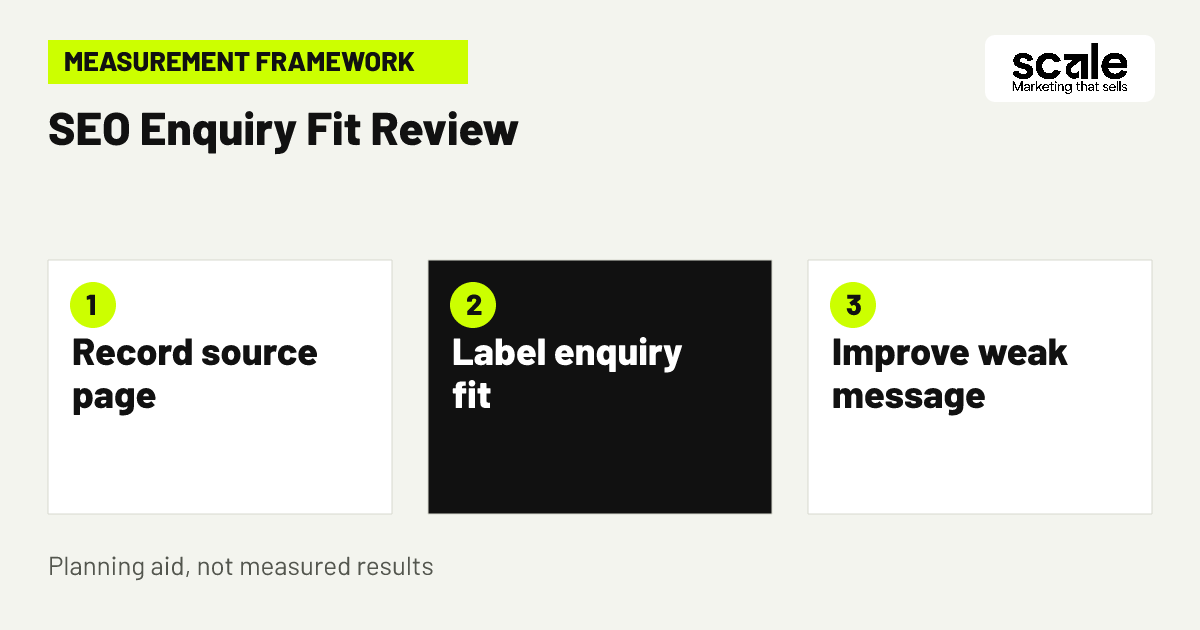
Website analytics can show that a visitor viewed a page, clicked a phone link or submitted a form, but it cannot determine whether the request was within coverage or suitable for your team. Record the organic landing page or content group with the enquiry record where practical, then let staff apply simple, consistent outcome labels after review.
Use a limited set of labels such as suitable for assessment discussion, outside coverage, service not offered, insufficient details or unable to respond at that time. The goal is not elaborate reporting. It is to learn whether a specific content path is setting the right expectation and delivering details that staff can use.
Set up separate website events for meaningful actions, particularly successful form submission rather than only a form start or button click. Analytics documentation supports events for website interactions and allows custom events where a preconfigured event does not fit. Test events during setup, then reconcile them with the reviewed enquiry record rather than treating either source as the whole story.
Marketing mistakes that weaken organic enquiry quality
A frequent mistake is publishing city pages because a place name appears in search queries, without offering distinct local information. Diagnose this by comparing pages line by line and asking whether a visitor would learn anything different beyond the location name. Consolidate duplicated pages, then improve the central coverage explanation or create only genuinely useful local resources.
Another mistake is placing a contact form before explaining what the service covers. If staff receive enquiries for unsupported services or callers ask basic questions already answerable on the page, the issue is usually messaging rather than a shortage of traffic. Move service-fit and coverage language higher, then test the revised path on mobile.
Do not confuse more indexed pages, clicks or form starts with better marketing. These may increase while suitable assessment enquiries remain flat. Review source pages with staff notes before expanding a topic cluster. The strongest correction often comes from improving one misleading promise, not writing several more articles.
Measure whether organic pages earn suitable assessment requests
Measure the journey in stages: relevant organic landing-page view, contact action, successful form submission or tracked call action, staff-reviewed fit and booked restoration assessment when your records can support that final label. Define each stage and its owner before building a report. The website captures visitor action; the team records whether the request matched coverage, service and capacity.
Interpret signals together. Many page views but few contact actions can mean the content answers a question but leaves the next step unclear, or that the page attracts a different intent. Many submissions marked outside coverage can point to vague service-area wording. Many suitable requests with delayed review point to a handoff issue, not an SEO issue.
Take one action per diagnosed signal. Improve a heading or internal link if visitors do not reach the service page. Clarify coverage before adding more form fields if fit is weak. Repair routing and response ownership before promoting a page more heavily. Outcomes vary, so note the change, date and reason before reviewing the next set of enquiry records.
Use events as evidence of actions, not fit
Analytics events can measure interactions such as page views, link clicks and successful submissions. Use reporting and testing views to confirm that the intended action is recorded. Do not label an event as a qualified lead until the business review process has applied its own outcome.
A practical review rhythm
Review high-intent organic pages with the staff outcome labels on a regular schedule. Start with the pages producing the most completed enquiries or the most repeated mismatch reason, then select one page-level change to test.
Conclusion: build fewer pages with clearer assessment paths
The most useful mold remediation SEO ideas are grounded in the same decision a visitor must make: whether to request an assessment from a business that may serve their property and concern. Build a clear assessment page, support it with original decision-focused content, state genuine coverage and use verified business details throughout the contact path.
Choose one existing mold-related page as the next action. Check whether it explains the service, names real coverage, links to the correct enquiry route and sets review-based expectations after submission. Fix the largest gap, confirm that staff can record the resulting enquiry outcome and use that feedback to decide the next content improvement.
Related resources
Water Damage & Mold Restoration Marketing · Google Ads Management · SEO Services · AI Implementations · 10 Water Damage Website Conversion Tips to Book Assessments · 12 Water Damage Google Ads Tips for Local Assessments