
Key takeaways
Check category and area availability before collecting documents or building a launch plan.
Use one accurate business-information record so verification details and Local Services Ads profile details do not conflict.
Assign a real person to own incoming calls and messages before the listing can attract enquiries.
After verification, test profile accuracy and lead handling before widening services or coverage.
What must be ready before verification can support a launch?
Google Local Services Ads verification works best as part of a local advertising launch plan, rather than as a document task completed separately. Before submitting information, confirm whether the business category and service area are eligible, make sure the business details are consistent, and decide who will handle customer contacts. This preparation helps the Local Services Ads profile reflect the services the business can actually provide.
Local Services Ads are available only for certain service categories, and availability can vary by location. Potential customers may contact a business by phone or message through an ad, so a business should be ready to answer suitable enquiries before it goes live. The following tips focus on promoting the right offer, improving enquiry fit, and building a practical process for turning appropriate contacts into appointments or customers.
Sources: Getting started with Local Services Ads - United States - Local Services Help
1. Confirm category and area availability before preparing evidence
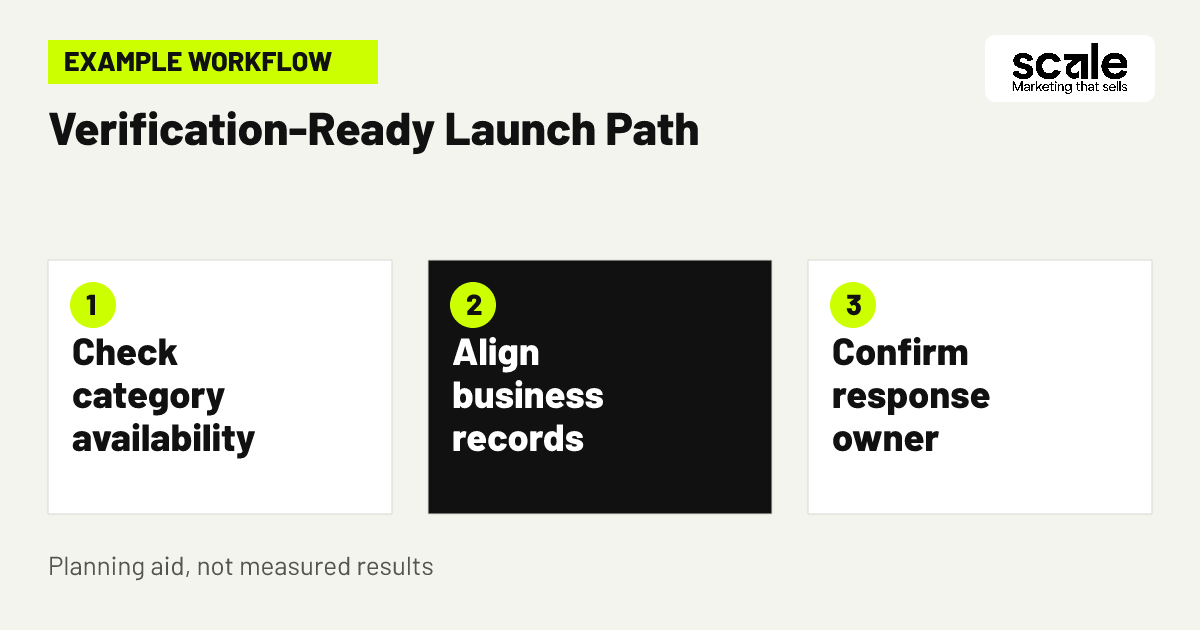
Start Google Local Services Ads verification by checking eligibility for the service category and area you intend to promote. This avoids investing time in a launch plan that may not be available for the business location or chosen service. It also creates an early decision about the main service customers should find first.
For example, a plumbing business offering repairs and installations can check eligibility for its intended category and operating area before gathering onboarding materials. Record the category, area and core service selected for launch. Evaluate the decision by asking whether the team can reliably deliver that advertised work in the locations it plans to serve.
Sources: Getting started with Local Services Ads - United States - Local Services Help
2. Build one approved record for business verification details
Create one internal record before completing business verification for ads. Include the approved business name, address, primary phone number, selected services, service area, hours for handling enquiries, and the person responsible for updates. A single record reduces the chance that the onboarding information and customer-facing Local Services Ads profile describe different businesses or offers.
Ask one owner to compare the record with the information customers already receive through the business website, phone line and other marketing materials. If the business uses a shared phone number or an administrative address, resolve how staff will describe it before submission. Evaluate readiness by checking whether the lead responder can state the approved details without needing to guess or correct them.
Use a practical evidence review
Review requested onboarding material for readability, current status and a clear match to the business and service being promoted. Where the account requests a licence, business registration, reviews or other category-specific items, confirm that the business can provide the relevant information before moving ahead.
Internal handoff check
Before submission, confirm the business name, contact details, services and service area with the person who will manage future customer contacts. This small review can prevent later changes that confuse staff or prospective customers.
Sources: Getting started with Local Services Ads - United States - Local Services Help
3. Review the proposed listing with the person who answers leads
Example: a plumbing business owner prepares a Local Services Ads launch while an office manager answers customer calls. They review the business name, phone number, selected services, service area and response hours together. The manager explains that emergency requests cannot be handled during every listed period, so the owner adjusts the customer promise before onboarding continues.
This review connects verification preparation with marketing conversion. A short launch brief should state the services accepted, locations served, hours with response coverage and the next step for a suitable customer. Evaluate the review by asking the call handler to identify any profile statement they would need to correct during a real enquiry. Fix those gaps before the listing is allowed to generate contacts.
Sources: Getting started with Local Services Ads - United States - Local Services Help
4. Select only services the business can confidently accept
Choose Local Services Ads services based on current delivery capacity, not every job the business has completed in the past. A focused selection can help potential customers identify a suitable provider and gives staff a consistent basis for responding to enquiries. It also helps keep the verification details and Local Services Ads profile aligned with the real offer.
A contractor that handles routine repairs and occasional specialist projects might promote routine repairs first while reviewing specialist requests separately. Define accepted job types, requests requiring review and requests to decline politely. Evaluate the choice by logging recurring enquiries for work the business does not offer. If that confusion persists, clarify the service selection or profile information.
Sources: Getting started with Local Services Ads - United States - Local Services Help
5. Check the Local Services Ads profile from the customer's view
When the account allows profile review, inspect the information a prospective customer may use before calling or sending a message. Check the business name, phone number, selected services, service-area information and other available profile details. The aim is accuracy, not making the listing sound broader than the business can support.
For example, a house-cleaning company that only accepts recurring residential work should make sure its selected services do not suggest one-off commercial work. Evaluate profile fit by recording the questions customers ask before an appointment is arranged. Repeated questions can reveal an unclear service description, location expectation or next step.
Sources: Getting started with Local Services Ads - United States - Local Services Help
6. Set service areas around fulfilment capacity
Plan service-area targeting around where the business can respond and schedule work reliably. Begin with communities that fit normal travel time, staff coverage and the type of service advertised. A wider map may create more opportunities to be seen, but unsuitable or unreachable enquiries do not improve a local advertising launch.
An electrician could accept planned appointments across nearby communities while limiting urgent requests to a tighter area. Keep a simple note of core locations, edge areas needing review and the person who can approve an exception. Evaluate the boundaries with enquiry notes: out-of-area contacts may indicate unclear profile information, while suitable contacts the team cannot schedule may indicate that the area is too broad.
Sources: Getting started with Local Services Ads - United States - Local Services Help
7. Assign ownership for calls, messages and handoffs
Give incoming calls and message requests a named owner for each operating period, plus a backup person when that owner is unavailable. Local Services Ads can deliver leads through calls and messages, and Google notes that regularly failing to answer or respond can affect ad ranking. A clear response plan can help suitable customers receive a useful next action rather than being left without an answer.
For a landscaping company, the office team might handle maintenance enquiries while passing complex design requests to an estimator. Collect only the details needed to establish service fit, location and a practical next step. Evaluate the process by reviewing missed contacts, unanswered messages and handoffs with no recorded outcome. Repeated gaps point to a response-coverage issue that should be fixed before expanding promotion.
Sources: Getting started with Local Services Ads - United States - Local Services Help
8. Check whether pre-badge ads suit the launch plan
Some eligible businesses may be able to receive leads through pre-badge ads after preliminary checks while completing remaining onboarding requirements. Treat this as an account-specific condition, not a feature that applies to every category or business. Requirements and availability vary, and the business still needs to complete all required onboarding steps to display the Google Verified badge.
A ready business can decide whether it has accurate information, lead coverage, billing setup and the capacity to handle enquiries while onboarding continues. A business still correcting its offer or response process should wait. Evaluate readiness by asking whether every incoming contact could receive an accurate, timely response today. If the answer is no, improve the launch process before opening another source of enquiries.
Sources: Getting started with Local Services Ads - United States - Local Services Help
9. Prepare profile assets only when the account requests them
Follow the requirements shown for the relevant category and account rather than assuming every business needs the same assets. Google indicates that pre-badge requirements can include reviews, and professional verticals can have additional requirements. Prepare authentic, current business information that supports the profile, but do not add material simply because it was required for another provider type.
For instance, a professional service business can check whether the account requests headshots, reviews or other profile elements before collecting them. Use images and customer information carefully, and seek permission where appropriate. Evaluate profile readiness by confirming that each visible element supports the same business identity, services and customer expectations established during verification.
Avoid badge assumptions
The Google Verified badge indicates that a business has passed Google's proprietary screening process, but it is available only for select verticals. It can help inspire confidence, yet it does not replace accurate service information, responsive communication or completion of the applicable onboarding requirements.
Check status changes carefully
When account status changes, confirm what the profile displays, which tasks remain and what customers can now see. Update the internal launch record before changing services, hours or coverage.
Sources: Getting started with Local Services Ads - United States - Local Services Help
10. Create a launch log before the first enquiry arrives
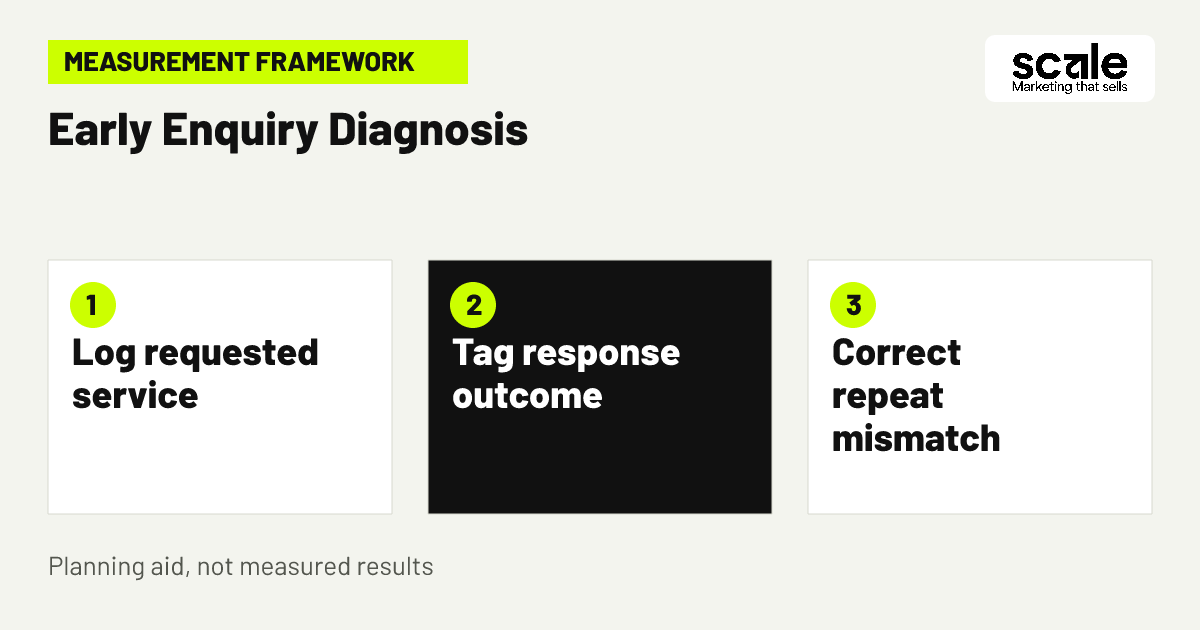
Set up a simple record for Local Services Ads contacts before launch. Track the date, requested service, location, contact method, response status, fit decision, next action and reason when a request cannot proceed. Google provides tools to manage leads and view advertising activity, while a basic internal log can explain why a contact progressed, paused or was declined.
If several callers request a listed service but nobody answers during staffed hours, the main issue is response coverage. If many contacts ask for an unoffered service, the issue is more likely profile clarity or service selection. Evaluate the launch using these patterns rather than contact volume alone. Keep the labels consistent long enough to identify one recurring problem and test one focused correction.
Sources: Getting started with Local Services Ads - United States - Local Services Help
Marketing mistakes that turn verification into a delayed or weak launch
One common mistake is treating Google Local Services Ads verification as an owner-only task without involving the people who answer customers. That can leave correct business records paired with unclear hours, unsupported services or no practical response coverage. Another mistake is allowing different names, phone details or service descriptions to remain across marketing materials and internal notes.
Businesses can also mistake completion of an individual check for complete launch readiness. Eligibility may still limit the plan, onboarding tasks may remain, or the business may be too busy to accept new leads. Google provides an option to pause an ad when a business cannot accept leads. Use that capability and correct the underlying issue rather than continuing to promote an offer the team cannot currently fulfil.
Sources: Getting started with Local Services Ads - United States - Local Services Help
Measure readiness, response quality and profile fit after launch
Review lead records regularly with the person accountable for enquiries. Look for whether contacts match the services and areas selected, whether calls and messages receive a response, and whether suitable prospects reach a clear next action. Where available, Local Services Ads account tools can help businesses manage leads, review advertising activity and, in some regions, track bookings.
Prioritize the problem with the clearest repeated evidence. Missed contacts suggest a staffing or handoff issue. Requests outside the advertised offer suggest a service-selection or profile-clarity issue. Suitable requests that cannot be booked suggest a capacity or service-area issue. Make one focused change, then continue using the same log to see whether the mismatch becomes less frequent. Marketing outcomes vary, so use the evidence to improve fit rather than expecting verification alone to create conversions.
Sources: Getting started with Local Services Ads - United States - Local Services Help
Conclusion: verify the business promise, not only the paperwork
Strong Google Local Services Ads verification preparation combines eligibility confirmation, consistent business information, an accurate Local Services Ads profile and an enquiry process the team can sustain. Verification is one part of creating a credible local advertising launch, not a promise of customer demand or conversion.
Take one practical next step: bring together the business owner and lead responder, complete one approved business-details record, and compare it with the selected services, service area and response plan. If those elements match and Local Services Ads eligibility is available, the business has a stronger foundation for onboarding and for evaluating the quality of incoming leads.
Sources: Getting started with Local Services Ads - United States - Local Services Help
Sources and further reading
Related resources
Google Local Services Ads · 11 Google Local Services Ads Service Area Targeting Tips · 12 Local Services Ads Lead Quality Tips for Bookings