
Make the product decision easier before asking for the sale
Amazon listing optimization tips are most useful for sellers whose product is available to buy but is not giving shoppers enough clarity or confidence to choose it. The direct answer is to make the detail page answer the buyer’s practical questions in the order they arise: what it is, who it suits, what is included, how it works, and why it is the right option. Better wording alone cannot solve poor stock availability, an unclear offer, unsuitable pricing, or a product that does not meet the shopper’s need.
Start with a product you can accurately describe and support. Confirm the selected variation, pack contents, dimensions, materials, compatibility claims, safety information, inventory status and fulfilment arrangement before editing copy or creative. Optimization is not suitable when the listing has unresolved catalogue errors, the item is unavailable, or the core product proposition is still changing. In those situations, fix the underlying offer first so marketing does not amplify confusion.
1. Choose the single shopper problem the page must solve
Decide what job the product helps a buyer complete, then make that job the page’s organizing idea. A reusable food container, for example, may help with packed lunches, portion storage, leak prevention, or cabinet organization. Trying to lead equally with every use creates a vague listing. Select the use that most closely matches the item’s strongest proof and the search intent you want to attract.
Write a short listing brief before changing anything: buyer type, use occasion, main problem, deciding feature, likely concern, contents, and boundaries. The boundary matters. If an accessory fits only a defined device range, say so plainly rather than allowing broad language to invite unsuitable orders. This gives a copywriter, photographer, or marketplace support team a shared standard for every element of the page.
Turn a feature into a buyer decision
A feature is a product fact; a decision is the consequence that matters to the buyer. “Steel latch” becomes “latch designed to keep the lid closed in a work bag,” provided that claim can be substantiated. This approach keeps the page useful without overstating performance.
Brief check before publishing
Ask whether the main promise is specific, provable, relevant to the intended shopper, and consistent across title, images and bullets. If one element promises portability while another implies heavy-duty industrial use, refine the positioning before proceeding.
2. Build a title that identifies the exact offer quickly
amazon product title optimization should make the product recognizable at a glance, not turn the title into a crowded search-term string. Lead with the product type and the qualifier that separates it from near alternatives, such as material, size, fit, count, format, or intended use. Add brand and model information where it helps a shopper identify the precise item.
Draft the title from the listing brief and then test it against a practical scan. Could a buyer tell what they receive without opening the images? Would a shopper searching for a related but incompatible item understand that this is not for them? Remove repetition, subjective claims, and details that belong in a bullet or specification field. Amazon Ads guidance similarly emphasizes clear, concise product titles as part of strengthening a detail page. sourceIds: source-1
3. Match the title, main image and first bullet
Example: A seller offers a compact insulated travel mug with a locking lid. The title should establish that it is a travel mug and name the capacity or fit detail that determines suitability. The main image should show the actual product cleanly and clearly. The first bullet can then explain the locking-lid use and any verified care or compatibility information. Each element does a separate job, but none changes the promise.
Before publishing, compare these three elements side by side. A shopper should not find a color, bundle item, size, or function in the main image that conflicts with the title. If the headline claims an item is suitable for commuting but the image does not make the form or lid clear, add a support image rather than stretching the text. This alignment is especially important when sending paid traffic directly to the detail page. Sponsored Products direct a shopper to the advertised product detail page after a click. sourceIds: source-2
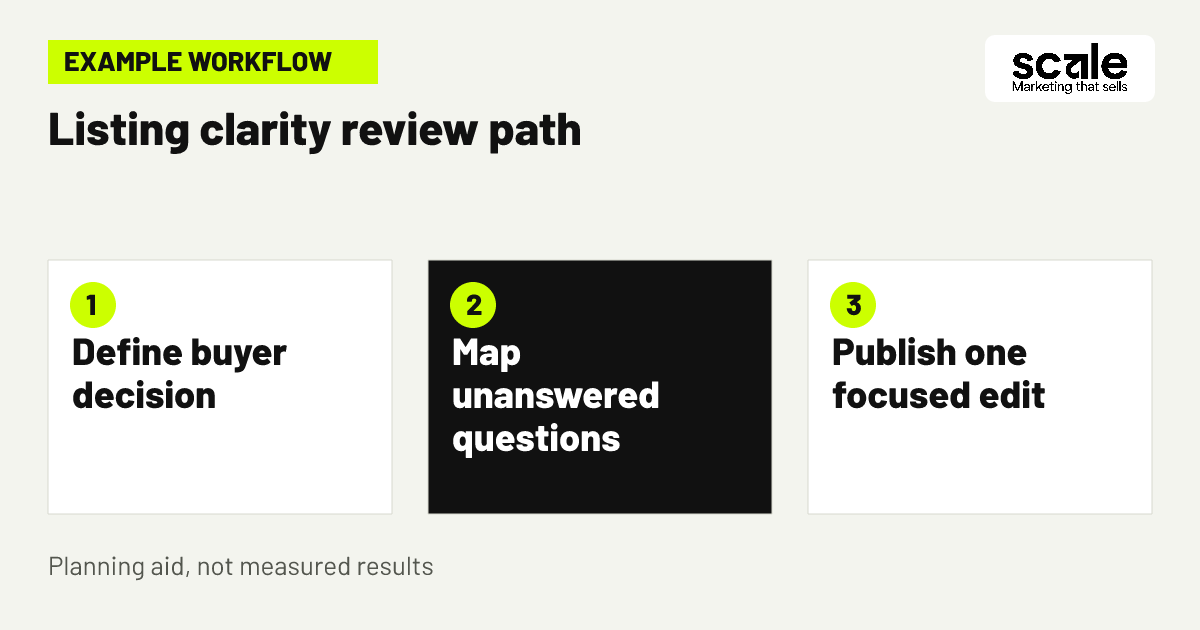
4. Plan images around unanswered buyer questions
An amazon product image strategy should be a sequence of answers, not a gallery of nearly identical angles. After the main image identifies the item, use later images to show scale, included parts, relevant close-ups, setup, storage, fit, care, or an appropriate real-world use. Select only questions the image can answer truthfully. A close-up can clarify texture; a measured view can clarify size; a labelled image can clarify which accessories are included.
Create an image map from customer uncertainty. For every planned image, write the question above it, such as “Will this fit my shelf?” or “What arrives in the box?” If no meaningful question exists, replace that image with a more useful one. High-quality zoomable images can help shoppers inspect details, and Amazon Ads guidance recommends multiple high-quality images as part of a stronger detail page. sourceIds: source-1
5. Show scale, contents and compatibility without ambiguity
Many conversion barriers are practical rather than persuasive. A shopper may hesitate because they cannot judge size, do not know whether a cable, attachment, or refill is included, or cannot confirm compatibility. Use factual labels, a scale reference that does not mislead, and an uncluttered contents image. Put critical limitations in both the relevant image and the bullet copy when they affect whether the item is suitable.
Check every visual claim against the exact purchasable variation. A common catalogue problem occurs when photographs show optional accessories, a discontinued finish, or a larger model while the selected offer differs. Do not rely on a fine-print note to repair a misleading visual impression. Clear exclusions may reduce irrelevant clicks, but they also help prevent avoidable dissatisfaction after purchase.
6. Write bullets in the order shoppers compare options
amazon bullet point writing works best when each bullet resolves a different decision, rather than rewriting the title five times. Start with the primary use or outcome, then cover material or construction, dimensions or fit, contents, and care or operating considerations. Put the most consequential qualification early. For example, if an item is intended for a particular appliance type, do not bury that condition after general benefits.
Use a simple paragraph-level formula: decision heading, verified product fact, practical implication, and limit where needed. A bullet for a storage organizer might read as a short explanation of compartment layout, the items it is intended to hold, and the drawer dimensions to check. Amazon Ads guidance advises including bullet points that cover items such as contents, uses, dimensions, operational considerations and country of origin where relevant. sourceIds: source-1
7. Put specifications where comparison shoppers need them
Specification fields and description areas should support buyers who are comparing similar products closely. Prioritize information they can verify after delivery: measurements, capacity, materials, component count, compatible models, power or care requirements, and what is not included. Keep units and terms consistent with the images and title. A mismatch between a bullet and a specification is not a minor editorial issue when that fact drives purchase suitability.
Separate evidence from promotional wording. “Includes two replacement filters” is a checkable fact. “Best filter system” is a broad claim that gives a buyer little decision help and may be difficult to support. This discipline creates a more reliable page for shoppers and provides a cleaner basis for future ad copy, search targeting, and marketplace support.
8. Use search language to clarify, not overload, the page
Review the words customers use when looking for the product, then place only the relevant terms where they improve comprehension. A phrase that identifies a material, use, or compatible device can help the right shopper recognize relevance. A string of loosely related synonyms can make the title and bullets harder to read and may draw shoppers who expected a different product.
For promoted products, inspect search-term and targeting information alongside the listing. If a search term brings visits but the page describes a different use, either refine the advertising target or update the listing only when the term accurately describes the product. Sponsored Products can use keyword and product targeting, while reporting can help advertisers examine performance at the campaign and target level. sourceIds: source-1
9. Reduce choice friction across sizes, colours and packs
Variations should make selection easier, not force shoppers to decode a catalogue. Name each option in plain language and make sure the chosen variation is visible in its images, title details, and specifications. If pack size changes the price context, contents, or intended use, make the difference obvious. A parent-child structure cannot compensate for confusing photography or labels.
Audit the selection process on a mobile screen as well as desktop. Ask a colleague to choose a specific variation using only the page. If they cannot state what they will receive, identify the missing signal: an unclear label, a reused image, a hidden quantity, or a specification that does not update. Resolve the signal at its source rather than adding generic reassurance.
10. Add proof that helps buyers use the item correctly
Use page space for credible practical proof: a labelled component view, a care instruction, a compatibility chart based on confirmed models, or a sequence that shows the normal setup. This is more valuable than decorative lifestyle material when the product has a learning curve. The purpose is not to claim that the product solves every problem; it is to help a suitable buyer picture correct use and avoid a preventable mismatch.
Review product feedback and customer questions for repeated uncertainty, then decide whether an image, bullet, or specification should answer it. Do not copy private customer details or make a new claim simply because one buyer requested it. Translate recurring, verified themes into clear general guidance. For items requiring special handling, ensure the page uses accurate instructions and does not imply uses the product was not designed to support.
11. Prepare the detail page before buying more traffic
Paid placement can bring a shopper to a product page, but it cannot make an unclear offer persuasive. Before increasing promotion, audit availability, featured offer eligibility where relevant, reviews, main image quality, offer accuracy, title clarity, and at least the core decision bullets. Amazon Ads notes that product information and detail-page quality can affect ad performance, and that advertised items need to be in stock. sourceIds: source-1
Then connect the campaign intent to the landing page. A keyword-led ad should lead to a listing that directly confirms the searched product type or use. A product-targeting campaign should highlight the meaningful comparison point, not merely repeat a broad category name. Scale’s Amazon Marketing work can combine listing optimization with PPC management, which helps keep the page and the paid query aligned rather than treating them as unrelated tasks.
12. Create an edit log so improvements remain explainable
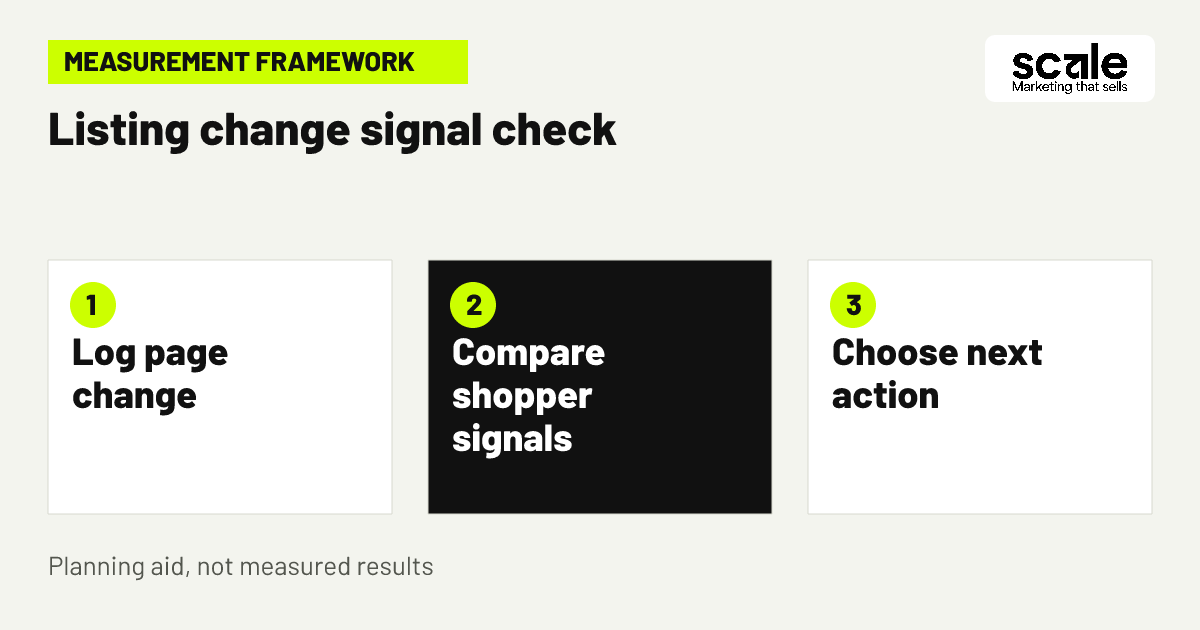
Record the original listing state, the exact change, date published, affected variation, reason for the change, and the signals you will review. Keep a copy of old title text, bullets, image order, and specifications. This prevents a familiar problem: several edits are made at once, purchase activity changes, and nobody can identify which decision helped or harmed clarity.
Give shoppers and the marketplace time to encounter the revised page before making another major adjustment, unless a factual error needs immediate correction. If an edit produces more questions, returns, or feedback about mismatch, restore the accurate information and investigate the promise. An edit log is also useful when coordinating marketplace support, creative production, and advertising changes across a product range.
Marketing mistakes that make a strong product look uncertain
The most common mistake is optimizing for word count instead of shopper confidence. Symptoms include titles that read like a list of fragments, image sets that never show scale, bullets full of generic adjectives, and descriptions that hide the actual pack contents. Diagnose this by asking a person unfamiliar with the item to explain the offer, intended user, and limitations after a brief page review. Their unanswered questions reveal the priority fixes.
Another mistake is changing images, copy, price context, variations, and ad targeting simultaneously. That creates noise in the data and makes it easy to blame the wrong element. Make a change plan that separates listing clarity issues from traffic-quality issues. If paid clicks rise but shoppers leave without purchasing, inspect query relevance and the first-screen promise. If suitable shoppers still hesitate, inspect missing product information, offer competitiveness, and review themes rather than adding more promotional language.
Measure clarity, traffic quality and purchase behaviour together
For amazon conversion rate improvement, measure the relationship between visits to the detail page and purchases, but do not treat that single rate as a verdict. Review page sessions or visits, units ordered, order value where available, return reasons, customer questions, ratings and review themes, variation-level activity, stock status, and changes in the featured offer or price context. Define the comparison period before you edit and note external events such as stock interruptions or promotions that may alter shopper behaviour.
When advertising is active, add impressions, clicks, search terms, targets, spend, ad-attributed purchases, and placement patterns to the review. A rise in clicks with weak purchase activity can signal broad or mismatched targeting, a misleading ad promise, or a page that does not resolve key questions. Stable traffic with weaker purchase activity after an edit may point to a listing change, offer condition, or variation issue. Use Amazon advertising reports to examine search terms, targeting, advertised products, placements and performance over time. sourceIds: source-3
Choose the next action from the signal
If questions repeatedly concern contents or size, improve the relevant image and bullet. If shoppers arrive from unrelated searches, refine targets and add exclusions where appropriate. If the selected variation is unclear, correct labels and variation-specific visuals. If stock is unreliable, resolve availability before interpreting campaign or listing activity. Outcomes vary, so keep decisions tied to the most plausible evidence rather than a single daily movement.
Simple review cadence
Review urgent catalogue accuracy and stock issues immediately. For planned optimization, compare the documented before-and-after period, annotate major changes, and decide whether to retain, revise, or reverse one focused edit before launching the next test.
Conclusion: make the next edit answer one real question
The best Amazon listing optimization tips are practical because they reduce uncertainty at the moment a shopper compares options. Start with the product decision, align the title and lead image, use bullets and supporting visuals to answer fit and contents questions, and track whether the traffic reaching the page is suitable. Do not assume more keywords or more images will help unless they make the offer clearer.
Choose one active listing and conduct a short buyer-question audit today. List the questions a suitable shopper cannot answer from the first screen, then fix the highest-impact factual gap first. Once the offer is clear and accurately represented, listing optimization, PPC management and marketplace support can be coordinated around the same conversion goal.