
Make nearby searches lead to workable grooming visits
Pet grooming seo ideas work best when they help nearby owners decide whether your service fits their pet, location and requested appointment. The aim is not simply to bring in more traffic. It is to make services, coverage and the next booking step clear enough that suitable owners can enquire with confidence.
Start with the decisions your team explains most often: which grooming options you offer, where appointments happen, what information affects planning and how a request becomes a confirmed visit. These answers give local SEO a practical purpose and can reduce avoidable back-and-forth after someone gets in touch.
Useful search content should serve the owner who arrives on the page, rather than exist mainly to chase rankings. That means giving each page a clear job, keeping descriptions honest and avoiding pages that repeat the same message with only a place name changed.
1. Choose the appointment types worth a dedicated page
Choose pages around grooming services that involve a genuinely different owner decision. A full groom, puppy introduction, bath-and-tidy visit and mobile appointment can each need different preparation, timing or coverage details. A dedicated page is useful when it helps an owner understand a real option and helps staff assess the request.
Create a short brief before building each page. Include the pets the service is intended for, what the visit covers, what information helps your team plan, where it is available, the enquiry route and who updates the page when circumstances change. This makes pet grooming seo ideas part of a manageable marketing system.
Evaluate the decision by reviewing enquiries from that page. Keep the page if owners generally understand the offer and staff can move suitable requests forward without repeatedly correcting basic assumptions. If requests are confused, improve the service explanation before creating another page.
2. Build service pages around the owner's booking questions
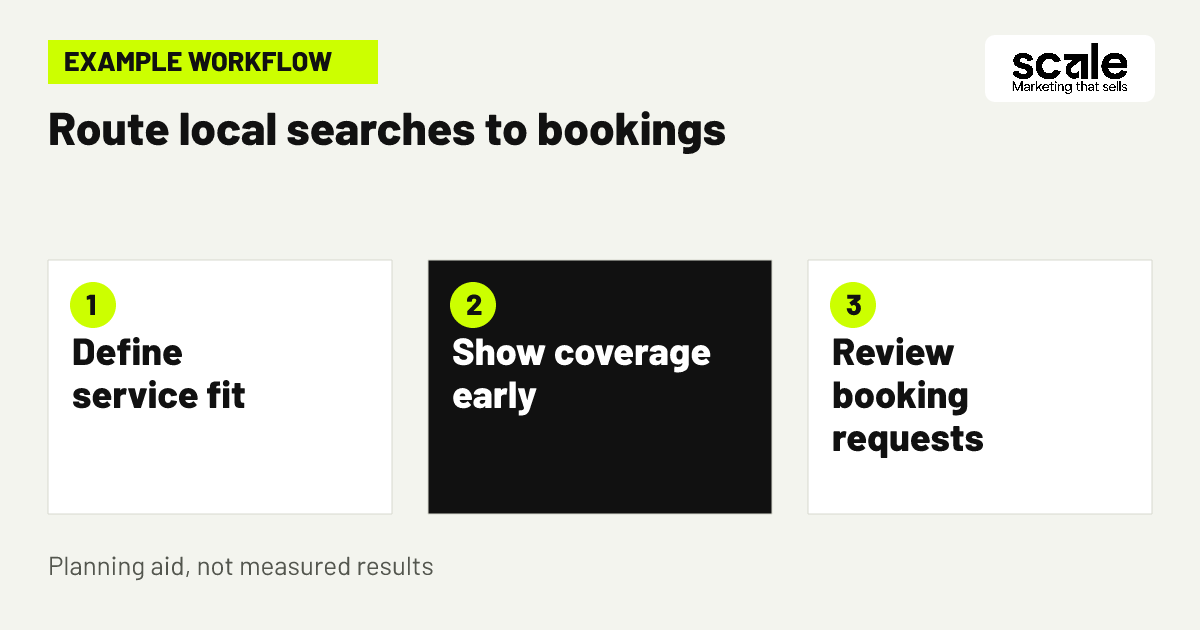
Well-planned groomer service pages answer the questions that affect an enquiry: what the service includes, which pets it is designed for, what details the team needs, where the appointment happens and what occurs after contact. Put the core service and local context near the top so an owner can quickly decide whether to continue.
Use a simple structure: service summary, intended pet or need, planning information, location or coverage, request method and confirmation process. Ask for practical details such as pet size, coat needs, preferred day and area only when they help your team assess the request.
Keep wording consistent between the page, request form and confirmation message. If your team reviews a request before offering a time, say that clearly. An honest explanation of the next step can prevent owners from assuming that submitting a form automatically secures an appointment.
Keep the service scope consistent
The heading, opening description and enquiry action should all describe the same offer. Avoid broad claims about handling, coat outcomes or suitability that cannot apply to every pet. Clear boundaries attract owners who are more likely to be a practical fit.
Use a shared page brief
For example, define a routine full groom page by the pets your team can accommodate, the details owners should provide, the areas served and the fact that staff confirm timing after review. A shared brief helps writers and booking staff present the same message.
3. Map a mobile offer to a realistic local route
Imagine a mobile groomer who can take appointments in a cluster of nearby neighbourhoods on selected days, but cannot make isolated visits far outside that route. The business creates one focused mobile service page, names its usual coverage in plain language and asks for the owner's area early in the request process.
This mobile groomer local search approach is more useful than promoting a broad region that the team cannot serve efficiently. The page can explain that requests are reviewed before a time is confirmed, while still giving owners a simple way to ask if their address may fit a planned route.
Review requests by area and booking outcome. Frequent out-of-area contacts can mean that coverage wording is too hidden or too broad. A steady pattern of suitable, clustered enquiries suggests the page is matching the local service your diary can support.
4. Keep your local business listing aligned with the website
If a pet grooming Google Business Profile is part of your marketing, review the information owners see there against the main website. Use the same business identity, contact route, service description and location or coverage message that your team can currently support. This reduces conflicting expectations before an owner reaches the booking page.
Use photos that honestly represent your salon, mobile setup or grooming environment. The purpose is to help an owner recognise the business and understand the type of appointment offered, not to make claims that the business cannot substantiate.
Ask staff to note recurring questions from listing-driven calls or messages. If owners regularly misunderstand your service area or the kind of groom offered, improve the matching explanation on the website and the listing information you control. Judge the change by enquiry fit, not contact volume alone.
5. Give each location page a useful owner decision
A location page should answer something meaningful for owners in that area. Depending on your business, this could be whether pets visit a salon, how mobile coverage is considered, where to find the relevant service details or how to request an appointment. Do not create a separate page where the only difference is the town name.
For local pet grooming SEO, connect a location page to services that are actually available in that place. A salon may need one strong page for its premises and nearby customers. A mobile business may be better served by one coverage page that explains the group of neighbourhoods it can reasonably reach.
Before keeping a location page, ask whether an owner from that area learns enough to decide on the next step. If not, add practical local context, combine overlapping content or improve the main service page instead. A smaller set of clear pages is easier to maintain.
6. Put coverage boundaries before the enquiry action
Do not make owners complete a long request form before they can find out whether a mobile groomer reaches their address or whether a salon is convenient. Place the coverage statement near the start of relevant pages and repeat it beside the enquiry action. Add an area or postcode field when staff need it to assess the request.
Be specific enough to guide a decision without promising that every address within a broad label can be accepted. You might state that mobile visits are considered within named neighbourhoods or a defined service zone, subject to route and appointment confirmation.
Test the page on a phone with someone unfamiliar with the business. They should be able to identify the coverage answer quickly. Record location mismatch separately in booking notes so it does not get mistaken for a lack of demand.
7. Create a clear path from service details to a request
A visitor who finds a grooming service should not have to search through several menus to find out how to enquire. Place a clear next action after the service explanation and give owners an obvious route to coverage details when location affects availability.
Use descriptive navigation labels that reflect the owner's next question, such as mobile coverage, full groom details or request an appointment. Each route should help a visitor resolve an uncertainty rather than send them to a broad page with no useful action.
Review the route with staff and test it on mobile. If an owner cannot move from a service explanation to the right request path without guessing, simplify the page. This is a website clarity exercise, not a reason to add links everywhere.
8. Make the request form qualify without overloading owners
A grooming request form should collect enough information to assess fit without becoming a full consultation. Start with the requested service, pet size or relevant needs, local area, preferred contact method and preferred appointment window. Include a free-text field for information the owner believes may affect planning.
Keep each question connected to an action your team will take. If an answer does not affect fit, timing or follow-up, consider leaving it out. Explain briefly why you ask for pet and location details, so owners understand that accurate information supports a suitable appointment discussion.
Check the handoff after submission. The confirmation should say the request has been received and explain the next step. It should not imply that an appointment is reserved unless your actual booking process works that way.
Track meaningful website actions
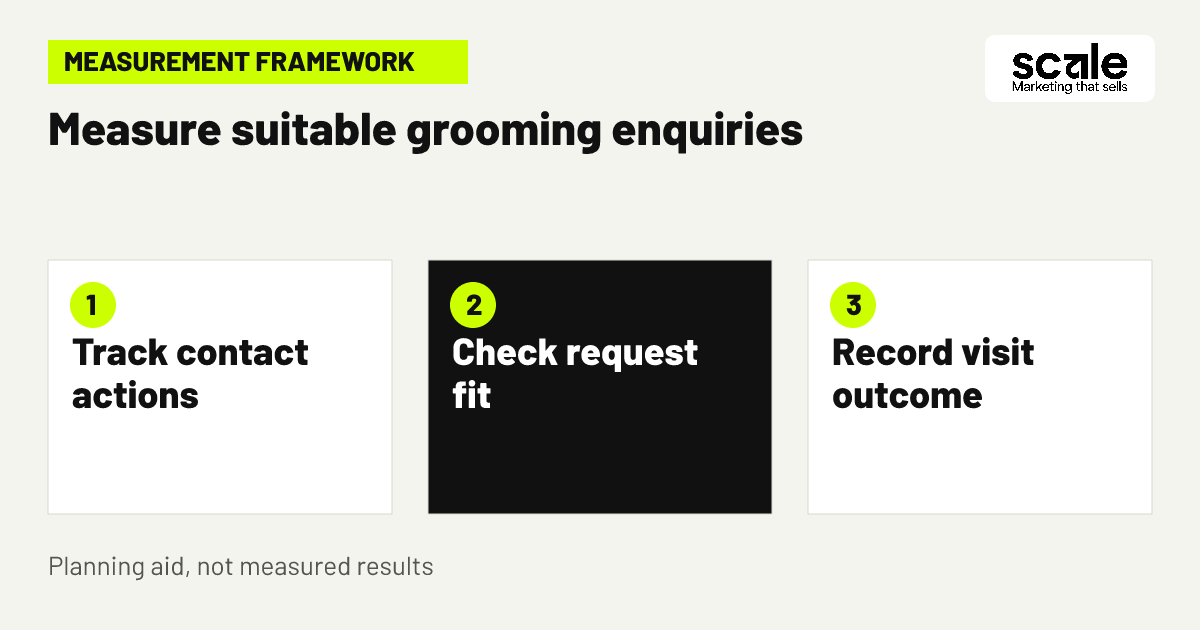
Where analytics is set up, record meaningful interactions such as completed request forms, contact-number taps or booking-start clicks. These events show that a website action occurred, but they do not establish whether the enquiry was suitable or became an appointment.
Pair events with booking records
Use staff booking statuses alongside website events to understand quality. This separates a completed form from a suitable request, confirmed visit or attended appointment.
9. Answer recurring pre-booking questions on the right page
Turn genuine repeat questions into concise answers on the relevant service or coverage page. Good subjects include what owners should provide when requesting a visit, how a mobile route is assessed, what happens before confirmation and when a service needs further discussion.
Keep each answer tied to your own business process. Avoid broad statements about a pet's health, behaviour or likely grooming result. When an individual assessment is needed, explain what information staff need and what the owner can expect after getting in touch.
Review booking notes regularly. If the same uncertainty keeps delaying suitable enquiries, improve the page that should answer it. If a question is unusual or highly pet-specific, retain a straightforward contact route rather than producing a thin page.
10. Update pages when capacity or coverage changes
Marketing pages become misleading when they promote a paused service, outdated mobile area or contact route that nobody monitors. Assign a team member to flag changes and a named person to update the website. A short recurring review can cover services, travel limits, contact details and realistic appointment availability.
Change the information that has actually changed instead of rewriting pages merely to make them appear new. Then check the same fact across the service page, coverage page, form wording and confirmation message. Consistency saves owners from conflicting information and saves staff from correcting it.
Use booking notes to choose the next improvement. If suitable enquiries wait too long for a reply, improve the response handoff before investing in more search content. If owners ask for a discontinued service, remove or revise that offer before promoting anything new.
11. Encourage rebooking with permission-based reminders
Search can help attract a first visit, while a simple rebooking route can help existing customers request another appointment. Create a clear page or booking path for returning owners that explains how to ask for a suitable future time without promising a particular date or interval.
Where an owner has agreed to receive messages, email or SMS reminders can direct them to that rebooking path. Match messages to booking records so people with a confirmed future visit are not invited to book again. Respect communication choices and keep reminders relevant.
Evaluate the tactic through completed rebooking requests, confirmed appointments and staff feedback on duplicate contacts. If reminders create uncertainty, improve the message and destination page before sending more.
12. Improve weak pages before adding more keywords
More pages do not automatically create a better local search presence. Review pages that duplicate another explanation, draw repeated mismatches or provide too little useful detail for an owner to make a decision. Strengthen the best existing page when it can answer the question more clearly.
Use pet grooming seo ideas as prompts for owner-focused improvements, not as a reason to repeat the same phrase in every heading. A full-groom page should explain that service. A mobile coverage page should resolve travel questions. Distinct page purposes make the site easier to use and maintain.
Before publishing a new page, check its unique decision, available service details, local relevance, request route and future owner. If these elements are missing, improve a current page first.
Marketing mistakes that bring the wrong grooming enquiries
A common mistake is treating every local search as equally valuable. A vague page may attract attention but does little to help an owner decide whether you offer the required groom, cover their area or have a workable request route. Review declined and abandoned requests, not just website visits and calls.
Another mistake is hiding a major limit until after contact. If staff repeatedly explain travel boundaries, service restrictions or confirmation steps, move those facts earlier on the page. Owners can then decide with better information before spending time on a request.
Avoid changing pages, forms, coverage wording and follow-up messages all at once. Make one focused improvement, note the date and compare later booking feedback. A clearer learning process helps you identify which change improved enquiry quality.
Measure the path from local search to attended visit
Use two connected views. The first tracks website demand, including service-page visits, completed request forms, contact-number taps and booking-start actions where available. The second tracks business outcomes, including suitable enquiry, confirmed appointment, attendance, cancellation and later rebooking where relevant.
Agree simple definitions before reviewing results. A suitable enquiry can mean that the request matches the advertised service and coverage. A confirmed appointment can mean that both the business and owner have accepted the time. Shared labels make staff notes more useful for marketing decisions.
Website events can measure interactions such as clicks and form actions. They cannot tell you whether an enquiry was workable or whether the visit happened. Use booking records and team feedback to add that context before deciding what to change.
Prioritise the repeated mismatch with the clearest remedy. For a mobile groomer, the fix may be earlier coverage detail. For a salon, it may be a clearer service description or a better form question. Treat data as a prompt to investigate rather than proof of a single cause.
Conclusion: build one clear route to a suitable request
The strongest pet grooming seo ideas make local search practical for both owners and grooming teams. Choose a priority service, state where it is available, explain what details help your team and connect the page to a clear request process. Then assess those requests through booking records rather than visits alone.
As a next step, select the page that produces the most confused or unsuitable enquiries. Identify the missing decision information, add it near the opening and request action, then review staff notes after the change. This gives your local marketing a focused and manageable starting point.
Related resources
Pet Grooming Marketing · SEO Services · Google Ads Management · Email & SMS Marketing · 10 Pet Grooming Google Ads Tips for Better-Fit Bookings