
Make ads filter for suitable grooming appointments
Pet grooming Google Ads tips work best when they help a salon or mobile team attract appointments it can genuinely schedule, rather than simply increasing calls and form submissions. This guide is for local groomers who need advertising to reflect pet size, coat needs, service length, travel coverage and diary capacity. The direct answer is to make the search term, advert, landing page and confirmation process answer the same fit questions before a slot is offered.
Broad messages can attract requests for unavailable services, distant mobile visits, pets that need a different arrangement or times the diary cannot support. Before launching a campaign, agree which services are accepting new bookings, which details staff need to assess a request, where the business serves and who updates those decisions when capacity changes. Search ads can place a relevant message in front of people looking for local businesses, but they cannot correct an unclear service offer or an unreliable booking handoff.
This approach is suitable when someone can respond to enquiries and confirm appointments consistently. It is not a good time to expand advertising if the team cannot state its service boundaries, check availability or follow up on requests. Keep ad and page claims factual and approved by the grooming team; do not imply health, behaviour or handling outcomes that have not been confirmed.
1. Choose services that merit separate campaigns
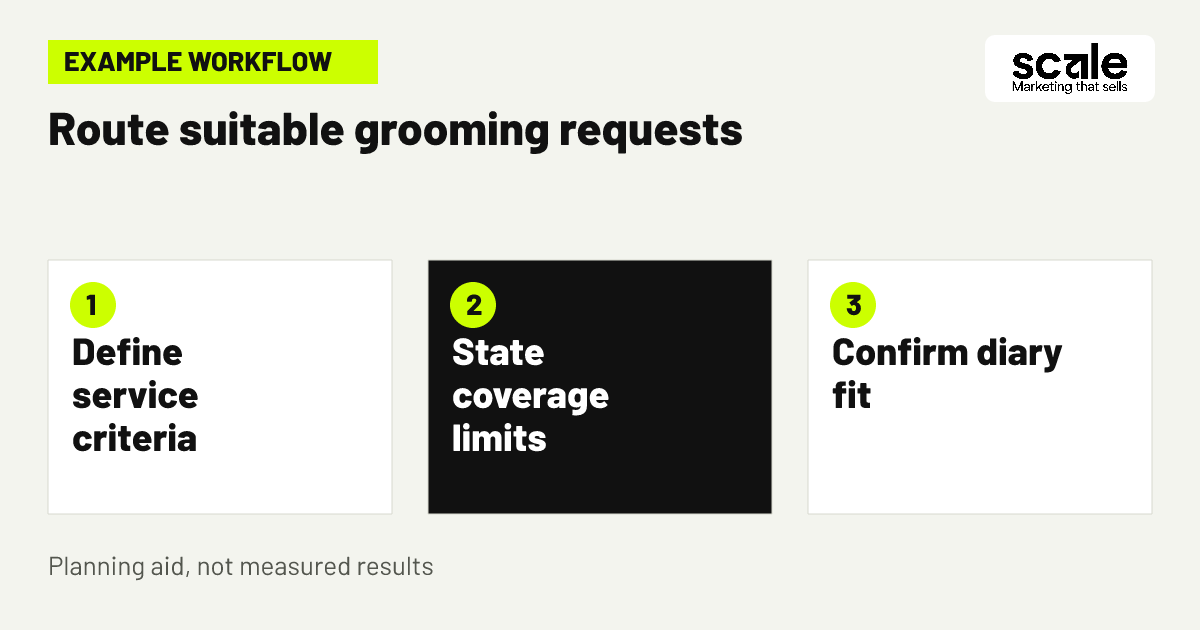
Start with appointments that have meaningfully different booking conditions. A salon might distinguish routine full grooms, puppy introductions, bath-and-tidy appointments and nail services because each needs different information, time or staff availability. A mobile team may prioritise repeatable visits that fit established routes. Do not ask advertising to solve a service menu that staff have not defined.
Write a short operating brief for every service you plan to promote. It should say who the service is for, what it includes, what pet details are required, what may need review before confirmation, the days it can be offered and the page that explains it. This turns grooming service Google Ads into an extension of the diary rather than a general invitation to enquire.
If a request cannot be priced or scheduled until the pet has been assessed, say that the owner is requesting a review or appointment discussion, not buying a fixed service. That distinction protects expectations and gives staff a sensible next step. Campaign separation is useful only where it gives the owner a clearer answer and gives the business cleaner records to review.
Use booking decisions rather than broad labels
Separate campaigns when the owner needs different information to decide. Someone looking for a puppy introduction needs to understand the visit format and booking route, while someone seeking a full groom needs service scope and local availability. Combining both behind one vague message weakens the relevance of the ad and produces more clarification work for staff.
Check the service brief before launch
Confirm that the team has one approved description, one booking destination and one person responsible for pausing or amending promotion. Check that the advertised service can be delivered within current staff capability and diary space. This avoids continuing to collect requests after a practical limit has changed.
2. Group search intent around real booking needs
Build focused groups of search terms around what an owner is trying to arrange. Terms relating to a full groom, a puppy appointment or mobile grooming should only sit together when the advert and destination page can answer that specific need. A regular review of the searches that prompt enquiries helps reveal wording that appears relevant but repeatedly produces poor-fit requests.
Create an exclusion list from patterns your team actually sees. It might include areas outside your coverage, pet types you do not accept or services you do not offer. Review the full context before excluding a term, because similar wording can mean different things in different searches. The aim is to reduce repeated mismatch, not to remove every query that needs staff judgement.
Use pet groomer ad targeting as one layer of qualification, not as a replacement for clear service detail. The advert should identify the service and local area. The page should explain what happens next and ask only for information needed to plan a suitable appointment. Compare search themes with final appointment records so refinements are based on booking quality rather than assumptions.
3. Shape mobile campaigns around workable routes
Example: a mobile groomer has room on selected days for visits within a cluster of nearby neighbourhoods. The team does not want single appointments far from that route. It creates a dedicated campaign for that cluster, states that mobile appointments are available only within the listed coverage area and sends visitors to a page that asks for their address or area early in the request process.
Mobile groomer service area ads should represent the places a team can serve efficiently, not simply the address where the vehicle is based. Google Ads allows advertisers to select geographic locations, including areas and radiuses around a location, but location signals are not exact. The page and staff review must therefore reinforce the stated boundary rather than relying on a setting alone.
The booking record in this scenario includes the requested service, pet size or coat information, area, preferred day and final status. The review question is not whether the campaign produced a lead. It is whether the request became an appointment that fitted the route, service time and customer expectation. If not, examine the area wording, selected locations and early booking questions before expanding reach.
4. State key limits before an owner contacts you
The advert has limited room, so use it for the decision that most often prevents a poor-fit request. Name the grooming category, the town or service zone and the intended action. Where appropriate, add a concise qualifier such as selected areas, appointment confirmation required or pet details requested. These phrases help the right owner recognise the offer without forcing staff to repeat basic conditions later.
Leave final suitability decisions with the grooming team. A request page can ask about pet size, coat condition and handling details that affect planning, but it should not make unsupported promises about what is suitable for every pet. Explain why each question matters: accurate information helps staff allow appropriate time and decide whether the requested service fits.
Do not hide a major restriction in small print after an owner has completed a form. If a mobile route has a defined boundary, if a service is not available for all pet sizes or if a requested time must be checked, put that information in the early journey. Fewer unclear enquiries can be more useful than a larger queue of requests that cannot be confirmed.
5. Continue the ad promise on the landing page
Each campaign should lead to a page that repeats the service and place named in the ad. An owner searching for mobile grooming in a named area should not arrive at a general page and have to search for coverage information. Near the top, show the service summary, location or travel zone, main fit requirements, the booking route and a clear next action.
Use photos approved for marketing to show the setting or grooming service, rather than to imply a particular health, temperament or cosmetic result. In plain language, tell owners what information to provide: their area, pet size or breed, coat needs, preferred days and any details that could affect appointment planning. These are booking questions, not a promise that every request will be accepted.
A page should also distinguish a request from a confirmed appointment. Tell owners that the team will check the service fit and available time before confirming. That small handoff prevents avoidable assumptions and gives staff a consistent basis for follow-up.
Test the booking path on a phone
Local service searches often begin on a phone, so open the page on common screen sizes before sending traffic to it. Check that service-area information is visible without hunting, that fields are manageable to complete and that calls or request forms reach the right person. A mobile-friendly ad cannot compensate for a page that obscures the decision an owner needs to make.
Review the confirmation message
After a form is sent, the confirmation should explain the next practical step without suggesting that a time is already reserved. Check that it does not ask customers to book again if their record already shows a confirmed visit. This keeps the marketing handoff aligned with the booking record.
6. Select locations from service reality, not habit
A salon can focus on places from which owners are likely to travel to the premises. A mobile business needs a more deliberate decision based on route time, service duration and where visits can be grouped. Choose the geographic areas that support the work you want to accept, then use the same boundary in the campaign message and landing page.
Google Ads location targeting can use locations such as areas and radiuses, yet it is based on signals and is not exact in every situation. Small location targets may also have limited ad delivery. Treat location settings as a starting point that needs operational feedback, rather than an automatic guarantee that every request will be inside your preferred area.
Record out-of-zone requests and the reason they were declined or redirected. If these recur, check whether the ad copy is too broad, the page places coverage information too late or the selected locations need adjustment. If coverage is widened, do so because the route plan supports it, not merely because the campaign needs more activity.
7. Give every enquiry a confirmation owner
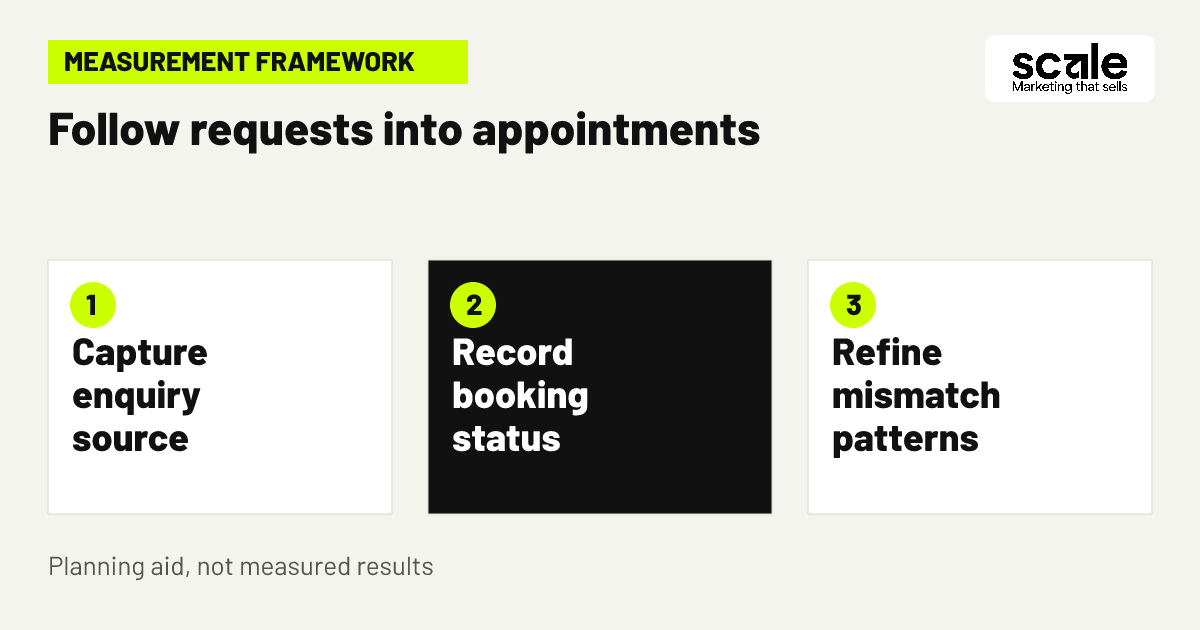
Decide what happens after a call, form or booking request before increasing advertising. Assign a person or role to check new requests, specify where the information is recorded and agree which details must be confirmed before a slot is offered. A simple record can include source, requested service, pet details, area, preferred time, suitability decision, booking status and attendance outcome.
The first reply should help the owner move forward, not simply acknowledge receipt. Staff can confirm whether the request appears to fit, ask for missing planning details and explain the next decision. If a request is unsuitable, record why using consistent categories. That makes it possible to distinguish a service mismatch from a location mismatch or a capacity problem.
Where an owner has given permission for future contact, reminders and rebooking messages should use the confirmed appointment record. Do not send a generic prompt that assumes every contact is due for a visit. Accurate records make follow-up more relevant and prevent advertising from creating confusion after the initial enquiry.
8. Define a conversion as a booking outcome
A call or form submission is an early demand signal, not necessarily the outcome the business wants. Grooming appointment conversion tracking means following a request through the statuses that matter to the diary: suitable enquiry, confirmed appointment, attended appointment, cancellation, no-show and, where useful, a later repeat booking. Use one written definition for each status so different staff do not record the same event differently.
First check what your current booking process can reliably identify. If appointments are confirmed manually, use a disciplined shared record and capture the advertising source when it is known. If staff cannot consistently connect a request to a final appointment, begin with fewer reliable stages rather than assuming every lead became a customer.
The purpose is to make better campaign decisions, not to create complicated reporting. A service that brings many requests but few suitable confirmed appointments needs a different response from a service that brings fewer requests which staff can schedule smoothly. Keep the review linked to real booking decisions.
9. Match promotion to live diary capacity
Advertising should follow capacity rather than pressure a team into accepting unsuitable work. Review the diary by service type, day and staff capability before deciding what to promote. Pause or reduce attention on a service with no sensible availability, and focus the message on an option the business can handle without rushed work or inefficient travel.
This matters when a narrow service generates interest quickly. Make clear that requested times are subject to confirmation. If owners repeatedly request times you cannot offer, decide whether ad scheduling, service windows or campaign wording should change. Do not leave an attractive but impractical promise live simply because it generates enquiries.
Keep capacity changes visible to whoever manages the campaigns. A short weekly exchange can cover service pauses, route changes, staff availability and booking delays. It is more useful than waiting for monthly reporting to reveal that ads were promoting a service the team could not reasonably confirm.
10. Support repeat bookings with relevant follow-up
A first visit can begin a continuing relationship, but rebooking prompts should reflect the owner’s choices and the grooming plan agreed with the team. With permission, use the recorded visit to make a later booking straightforward. The message can offer a clear path to request a new slot while leaving timing and suitability decisions with the groomer and owner.
Review repeat-booking records by service and booking journey. A weak return pattern can point to poor initial fit, unclear expectations, missed follow-up or an awkward rebooking path. It does not automatically mean the answer is to buy more advertising. Improve the part of the journey that is causing friction before increasing acquisition activity.
Consent-based email or SMS can support this process when the contact record and booking status are accurate. Check that a person with a confirmed future appointment is not sent an unnecessary rebooking prompt, and that anyone who has not agreed to messages is not included. Relevant follow-up is more useful than frequent follow-up.
Marketing mistakes that create poor-fit requests
A common mistake is using one generic grooming ad for every service and every local owner. Diagnose it by reading a sample of calls and forms. If staff repeatedly explain unavailable services, travel limits or appointment requirements, that information belongs earlier in the ad or page. Another mistake is changing keywords, locations and page copy at the same time, which makes it difficult to identify what caused a shift in appointment quality.
Do not give every lead equal weight. A busy campaign can create cancellations, unsuitable requests or isolated mobile journeys that do not help the diary. Look for a mismatch between the promise that brought the enquiry and the reason it was not confirmed. Repeated price-only questions can also indicate that the service scope or confirmation process is unclear, not necessarily that owners are unsuitable.
Old coverage claims and stale availability are another avoidable problem. Set a regular review involving the person who manages bookings, so campaign wording remains aligned with actual service boundaries. When a pattern appears, make one focused change, note when it was made and review the later appointment outcomes before making a second major adjustment.
Use booking quality to prioritise campaign changes
Review advertising in two connected views. The first covers early signals: relevant searches, calls, forms and appointment requests. The second follows those signals into suitable enquiries, confirmed visits, attendance, cancellations, no-shows and repeat-booking activity. The second view prevents the business from treating raw activity as proof that promotion is helping.
A rise in unsuitable requests can mean that a search theme, geographic selection, ad message or form is too broad. Suitable requests that frequently fail to book can indicate unclear next steps, unavailable times or slow responses. Repeated cancellations can point to an expectation gap that needs to be addressed before confirmation. These are diagnosis prompts, not automatic conclusions, so compare them with staff notes before acting.
Prioritise the change that addresses the largest repeated source of mismatch. For a mobile groomer, that may be earlier area and route information. For a salon, it may be clearer service scope or a better confirmation handoff. Google Ads management can be combined with matching landing-page work and permission-based follow-up, provided the grooming team supplies current service and diary details.
Conclusion: launch one focused booking journey first
The most useful pet grooming Google Ads tips act as filters. Choose a service the team can deliver well, state the local boundary and key fit conditions plainly, and follow each enquiry through to a confirmed and attended appointment. This creates a clearer experience for owners and a more manageable flow of requests for the grooming team.
Choose one priority grooming service today and write its campaign brief. Include the accepted pet and service details, coverage area, booking questions, confirmation owner and statuses you will review. Then build or revise the matching ad and landing page around that brief before widening the campaign. Outcomes vary, but this gives your advertising a practical standard against which to judge each change.
Related resources
Pet Grooming Marketing · SEO Services · Google Ads Management · Email & SMS Marketing