
Emergency bookings need a different ad path
These hvac google ads tips are for local heating and cooling businesses that want more suitable emergency repair enquiries without losing control of replacement work, service calls or technician availability. The direct answer is to build separate search paths for urgent breakdowns and planned projects, then only advertise where and when your team can respond. Better campaign structure cannot create capacity, but it can make demand easier to direct.
A homeowner searching because cooling or heat has stopped needs a prominent phone route, clear coverage area and a realistic response expectation. Someone comparing equipment options needs a different page, message and follow-up route. Combining both searches in one generic campaign obscures which enquiries are worth pursuing and makes it harder to adjust spend during busy weather periods.
1. Divide urgent repairs from replacement estimates
Create distinct campaigns for emergency repair, planned replacement and, where relevant, routine servicing. Give each campaign its own keyword themes, ad copy, location settings, landing page and enquiry outcome. Repair ads can address a non-working furnace, air conditioner or heat pump and direct people to call. Replacement ads can invite an estimate request and explain the types of systems your team installs.
This division lets dispatch treat an urgent call as urgent while sales staff handle a considered equipment enquiry without competing for the same budget. It also prevents a replacement message from appearing beside a searcher who needs immediate help. HVAC replacement ad campaigns should be assessed against qualified estimate requests and accepted jobs, not simply form completions.
Before building anything, list the work you actively want, work you accept only in quieter periods and work you do not offer. Confirm service areas, after-hours cover, call-answering arrangements, equipment brands or system types handled, and whether a live person can respond to emergency calls. Advertising is unsuitable for an always-full schedule with no safe way to pause or redirect enquiries.
2. Match coverage areas to real dispatch reach
Set each campaign around the areas your technicians can genuinely cover within the promised response window. A repair campaign may deserve a tighter practical area than planned replacement work because travel time directly affects the customer's experience and the crew's next appointment. Google Ads supports geographic targets such as areas and a radius, but location matching is based on signals and is not perfectly precise, so review the places attached to genuine enquiries.
Use a location list that your dispatcher recognizes, rather than an arbitrary circle drawn for reach. Exclude distant zones that repeatedly create impractical travel, and do not imply coverage in copy that the team cannot provide. A very narrow target can restrict ad serving, so check whether the selected geography produces enough eligible searches before making it smaller.
For emergency HVAC repair ads, place the served locations near the call prompt and include a straightforward coverage statement on the landing page. This helps callers self-screen before they occupy the phone line. Revisit the map when depot locations, staffing patterns or travel conditions change.
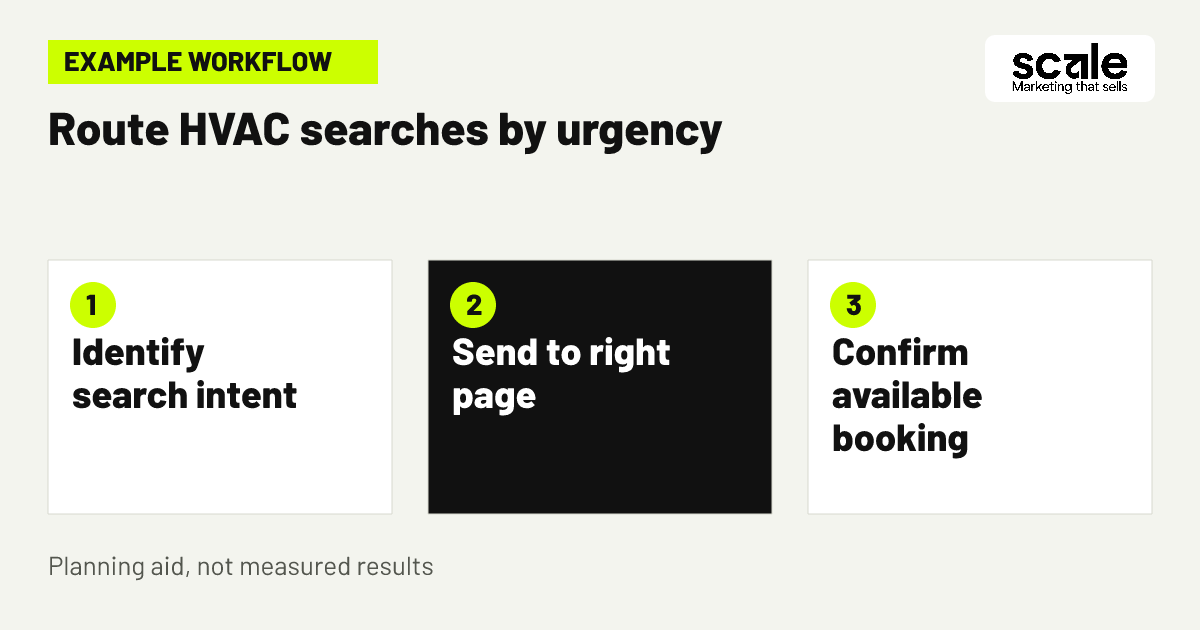
3. Route one urgent search and one planned search
Example: a local HVAC company covers several nearby towns and has an on-call team on selected evenings. It creates a repair campaign for searches such as a broken AC or no heat, with ads focused on calling for available repair help. The call lands with the dispatch team, which confirms the address, system issue and appointment availability before offering a slot.
The same business builds a separate planned-system campaign for searches about replacing an aging unit. That ad leads to an estimate page asking for contact details, property area, current equipment and preferred consultation time. The request goes to the estimate queue rather than interrupting emergency dispatch. Neither route promises a response time that the company has not confirmed.
Review the scenario by listening to whether repair callers reached the right person and by checking whether estimate requests concern work you install. If emergency callers regularly ask about a service not offered, adjust the wording, keyword themes or exclusions. If planned leads are phoning the emergency line, make the estimate route clearer rather than treating every phone call as the same conversion.
4. Build keyword themes around failure symptoms
For urgent campaigns, group searches by the problem a customer recognizes: no cooling, no heat, system not turning on, leaking unit or emergency repair. Keep each group close enough that the ad can answer the searcher's immediate concern without claiming a diagnosis. A specific message generally gives the caller a clearer reason to choose the right route than an all-purpose HVAC headline.
Avoid using symptom themes to imply that every fault can be repaired on the first visit. The landing page should state what happens next: call, availability check, address confirmation and booking. If your team handles only selected equipment types or residential properties, say so plainly before the contact action.
Evaluate keyword themes using search terms, call notes and booked work categories. A theme that creates many conversations but consistently falls outside your service scope needs a narrower landing-page message, a negative keyword or removal. Keep useful terms that lead to viable work even if the initial wording is informal or uses a local shorthand.
5. Use negative keywords without hiding demand
HVAC negative keywords should begin with evidence from actual search terms and the reason each query is unsuitable. Common starting categories can include jobs, careers, salary, training, course, manual, diagram, wholesale, supplier, parts, used parts and DIY, where those searches do not lead to the work you want. Add terms and close wording variants deliberately because negative keywords do not automatically cover close variants in the same way people may expect.
Do not add broad exclusions simply because a search contains a word such as repair, install or cost. Those words can occur in valuable customer searches. Use a shared account-level list for clearly irrelevant traffic, then use campaign-specific exclusions when a term is wrong for repairs but useful for replacement enquiries. Google Ads offers broad, phrase and exact negative matching, each with different blocking behavior.
Check the search-term report on a regular working rhythm and record the decision beside each candidate term: exclude, retain, observe or move to another campaign. If a new exclusion sharply reduces viable calls, remove it and investigate which query pattern was accidentally blocked. A short, maintained list is safer than an ever-growing collection of guesses.
Keep a reason beside every exclusion
A useful negative-keyword log names the excluded phrase, the campaign affected, the reason it is unsuitable and the review date. This makes it easier to spot when an exclusion conflicts with a new service line or seasonal offer.
Separate parts from repair intent
A search for a component may be irrelevant if you do not sell parts, but it can also signal a repair need. Inspect the whole query and call outcome before excluding a component name across every campaign.
6. Schedule ads around answered calls
Show emergency ads when a trained person can answer, assess availability and create a workable next step. Ad scheduling can specify days and hours for eligible ads, so it is useful when on-call cover differs from normal office hours. Confirm time zones, holiday arrangements and the handoff from a missed call before relying on any schedule.
If emergency cover exists after hours, use wording that matches the actual arrangement rather than a vague always-open claim. If calls go to voicemail, measure whether those callers receive prompt contact and become appointments. If they do not, limiting the schedule may protect budget and customer experience better than collecting unreturned enquiries.
Scheduling is also a capacity control. Review day-and-hour patterns alongside call-answer data and booked jobs, not clicks alone. Google Ads notes that scheduled campaigns still pace toward the monthly budget framework, so changes in available hours should be accompanied by a budget review rather than assumed to reduce spend in a predictable way.
7. Make the emergency landing page call-first
An emergency repair page should help a stressed searcher decide whether to call now. Put the phone action near the top, state the service area, identify the types of urgent work considered and explain what the caller should have ready, such as address, system type and a brief description of the fault. Keep forms short when a form is necessary for callers who cannot speak immediately.
Do not put a replacement quote form ahead of the urgent contact route. The repair page needs fewer choices, while a planned project page can ask more qualifying questions. Check the page on a phone using ordinary mobile connectivity: can someone find the call action, read the service-area statement and understand the next step without scrolling through generic company claims?
Evaluate the page with call recordings or staff notes, where appropriate, and form completeness. Repeated questions about coverage or service type mean the page is unclear. Calls about unrelated appliance repair or parts may signal weak keyword control, but also check that the page language is not overly broad.
8. Qualify replacement enquiries in the form
A replacement estimate route can ask for details that help the team prioritize a suitable follow-up: property location, existing system, whether it is working, preferred contact method and the reason for considering replacement. Ask only for information staff will use. Avoid creating a long form that feels like an inspection questionnaire and leads people to abandon a legitimate estimate request.
Keep finance, rebate or savings wording out of the campaign unless the exact offer, eligibility, dates and disclosures have been verified. A more durable message is about arranging an assessment for an appropriate replacement option. This is especially important when conditions change and an old ad remains active.
Review form submissions for completeness and fit. If many people seeking urgent repair use the replacement form, add a visible repair alternative on the page. If staff repeatedly need one missing fact to schedule a visit, add that field or a clear prompt, then check whether the extra step harms submission quality.
9. Change seasonal spend only with capacity rules
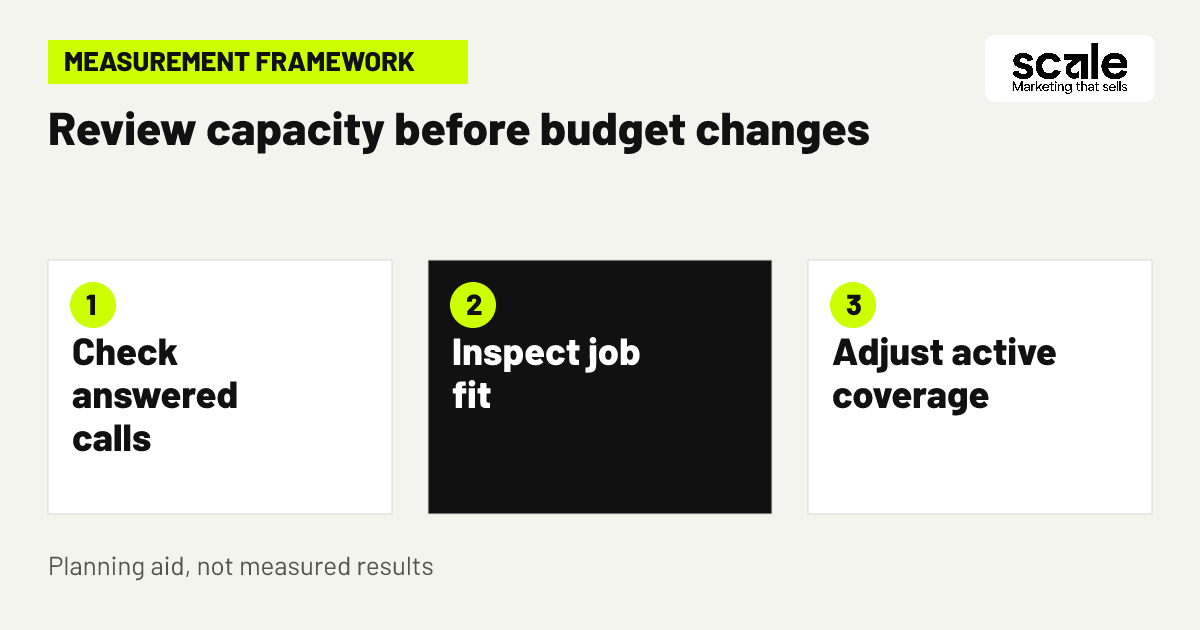
Seasonal ad budgets should follow a written capacity plan, not weather anxiety alone. Define the triggers your team can verify: open emergency appointment capacity, number of unanswered calls, estimated travel burden, sales follow-up backlog and the service areas you can still reach. Decide in advance who can approve a change and whether the action is to increase repair exposure, protect replacement leads or pause a route.
During a demand spike, it may be sensible to narrow urgent campaigns to closer areas and hours that the phone is staffed. When technicians are fully committed, reduce emergency exposure or alter the message to fit the next available booking process. Do not keep spending on immediate-help language if the team cannot offer a realistic next step.
During quieter periods, reintroduce planned replacement and servicing campaigns where the team has follow-up capacity. Compare lead quality and booked work before restoring spend. Weather patterns can influence demand, but staff availability and the enquiry-to-appointment handoff determine whether added visibility is useful.
Create a simple capacity brief
A practical brief states the service areas currently open, hours the phones are covered, job categories to promote, categories to pause, the responsible approver and the date for the next review. Share it with dispatch and anyone editing ads.
10. Keep ad promises specific and supportable
Write ads around the job path you can support: emergency repair availability checks, local service coverage, planned replacement consultations or maintenance booking. Match the wording to the campaign. An urgent searcher benefits from a clear call-to-action, while an equipment shopper needs a reason to request an assessment rather than a generic prompt to contact the company.
Avoid unsupported superlatives, blanket same-day statements and broad savings claims. If a message names a service area, system type or offer, verify that dispatch, the landing page and the call team all use the same information. Small inconsistencies create unsuitable calls and can waste the attention of people with genuine needs.
Evaluate ads by the relevance of resulting enquiries. A high volume of calls is not automatically useful if callers discover late that you do not cover their area or service their equipment. Rewrite the message when the mismatch is repeated, then monitor the next set of enquiries for the specific problem.
11. Tag calls and forms by the job they create
Define meaningful outcomes before launching: answered emergency call, viable repair appointment, replacement estimate request, completed estimate, maintenance enquiry and unsuitable enquiry. Set up tracking only after checking that the website and phone process can distinguish these outcomes. A call duration by itself does not prove that the enquiry was a good fit.
Ask the call team to apply a short, consistent disposition after each enquiry. Useful labels include booked repair, replacement request, outside area, parts-only, job seeker, no answer and duplicate. Keep the labels limited enough that staff will use them. Reconcile ad-platform records with the booking system or dispatch notes on a regular review cycle.
The aim is not surveillance or excessive data collection. It is to see which campaign route produces work your team can accept and which route creates avoidable demand. Use consent-aware processes for later email or SMS follow-up, and contact people only through the method and permissions they have provided.
12. Use follow-up for deferred, not urgent, demand
Emergency calls need a direct operational response, not a slow marketing sequence. For planned replacement estimates, unbooked consultations and maintenance reminders, permission-based email or SMS can keep the next action clear when staff have capacity to follow up. Segment messages by the expressed need instead of sending the same promotion to every contact.
For example, a person who requested a replacement assessment may receive a concise confirmation of the consultation step, while a past service customer who opted in may receive a seasonal maintenance reminder. Do not send a maintenance offer when dispatch is unable to support the resulting work. The timing should protect the customer experience as well as the ad budget.
Evaluate follow-up through responses, scheduled appointments and opt-out or complaint signals. If recipients ignore a message or staff cannot handle replies, pause and revise the timing, audience or message. This is a support channel for existing marketing enquiries, not a substitute for answering an urgent repair call.
Marketing mistakes that create poor-fit HVAC calls
The most common mistake is one catch-all campaign for every heating and cooling service. It mixes emergency repairs, installation comparisons, parts searches and careers traffic, leaving staff to sort intent after the click. Diagnose it by comparing search terms, landing pages and call dispositions. If the same ad generates several unrelated paths, split the campaigns before adding more keywords.
Another mistake is treating every lead as equal. A missed emergency call, a replacement estimate request and a parts-only enquiry have different value to the customer and different costs to the business. Diagnose a reporting problem when platform conversions look healthy but dispatch sees few suitable bookings. Improve the feedback labels and review them with the people answering phones.
Finally, do not react to busy weather by raising spend without a capacity check. Unanswered calls, distant bookings and delayed replies are signs to narrow the campaign or route demand differently. Outcomes vary, so make changes deliberately and retain notes explaining what changed and why.
Measure suitability, response and capacity before spend
Use a compact weekly view for each campaign: spend, enquiries, answered calls, viable repair appointments, replacement estimate requests, unsuitable reasons, response or callback status, active service area and technician capacity. This connects advertising activity to the work your business can actually perform. Keep repair and replacement rows separate so one route cannot hide weakness in the other.
A rise in parts-only or job-seeker enquiries points first to search-term and negative-list review. Many calls from outside the service area point to location settings, ad wording or page clarity. A high number of unanswered emergency calls points to schedule coverage, phone routing or the decision to reduce exposure. Few estimate requests from relevant replacement searches may point to the page offer, form friction or message mismatch.
Prioritize one constrained point at a time. If calls are not answered, repair that before expanding keyword coverage. If estimates are qualified but not followed up, fix the sales handoff before spending more. Review location targeting against actual enquiry locations because geographic targeting is a best-effort setting, then adjust based on the business outcome rather than a single platform metric.
Conclusion: build campaigns around the next available job
The strongest hvac google ads tips are operational as much as promotional: separate repair from replacement intent, block clearly unsuitable searches, limit ads to reachable areas and staffed hours, and judge success by viable bookings rather than raw leads. This approach helps protect urgent callers while preserving a deliberate route for planned equipment work.
Start with one practical action: map every current campaign to a single job type, landing page, service area and call-handling route. Where a campaign cannot answer those four questions, split, pause or rewrite it before increasing budget. Then use the weekly enquiry review to make measured changes as team capacity shifts.
Related resources
HVAC Marketing · Google Ads Management · Google Local Services Ads · Email & SMS Marketing